The In-Round Menu
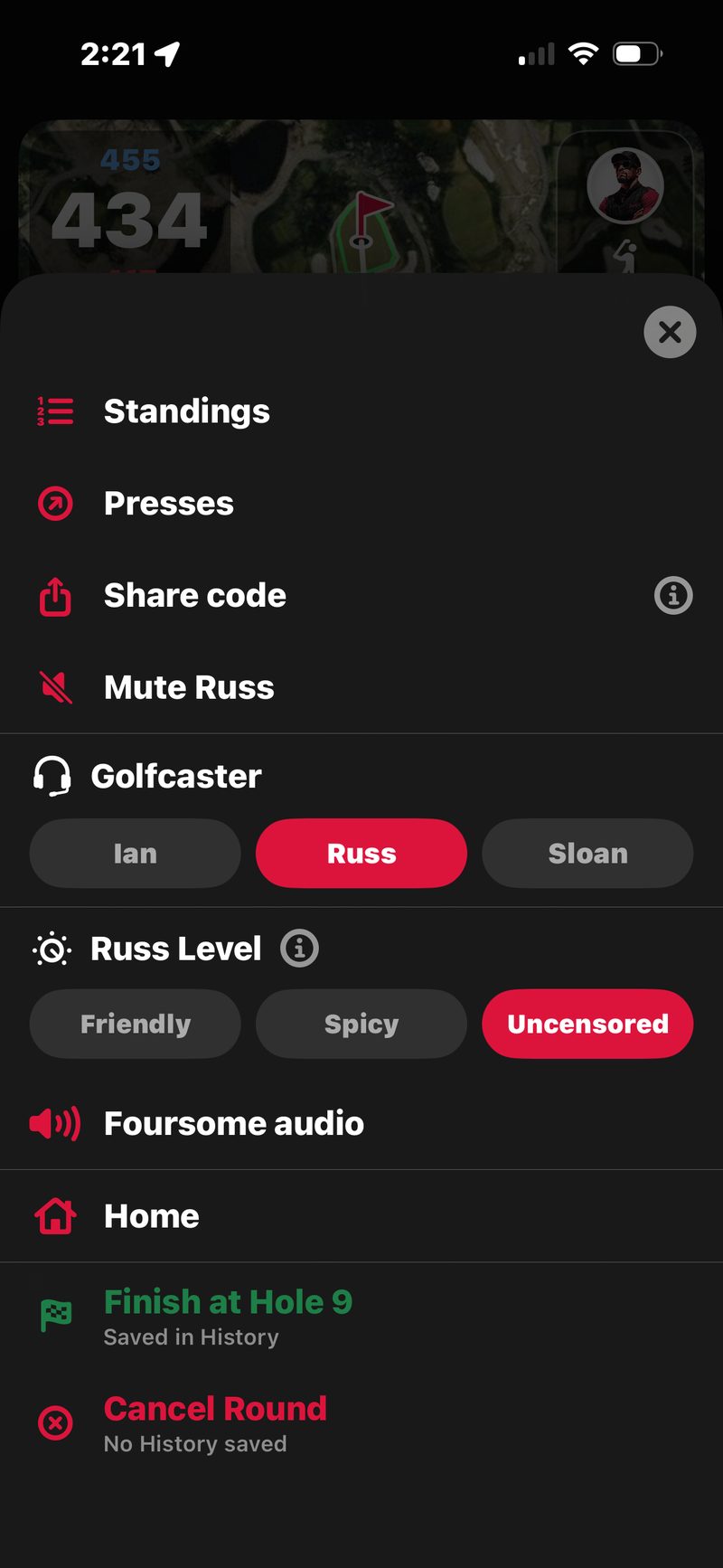
Tap ☰ MENU on the round screen to open every mid-round control.
- Standings
- Presses
- Crimson Jacket buy-ins (host, FOREMajors)
- Wolf / Snake (when in play)
- Share code
- Mute your Golfcaster on this phone
- Golfcaster (host)
- Golfcaster level (host)
- Foursome audio (host)
- Home
- Finish at Hole N / Review Scores (host)
- Cancel round (host)
- Leave round (everyone but the host)
- Not in the menu: the scorecard and the rail
Standings
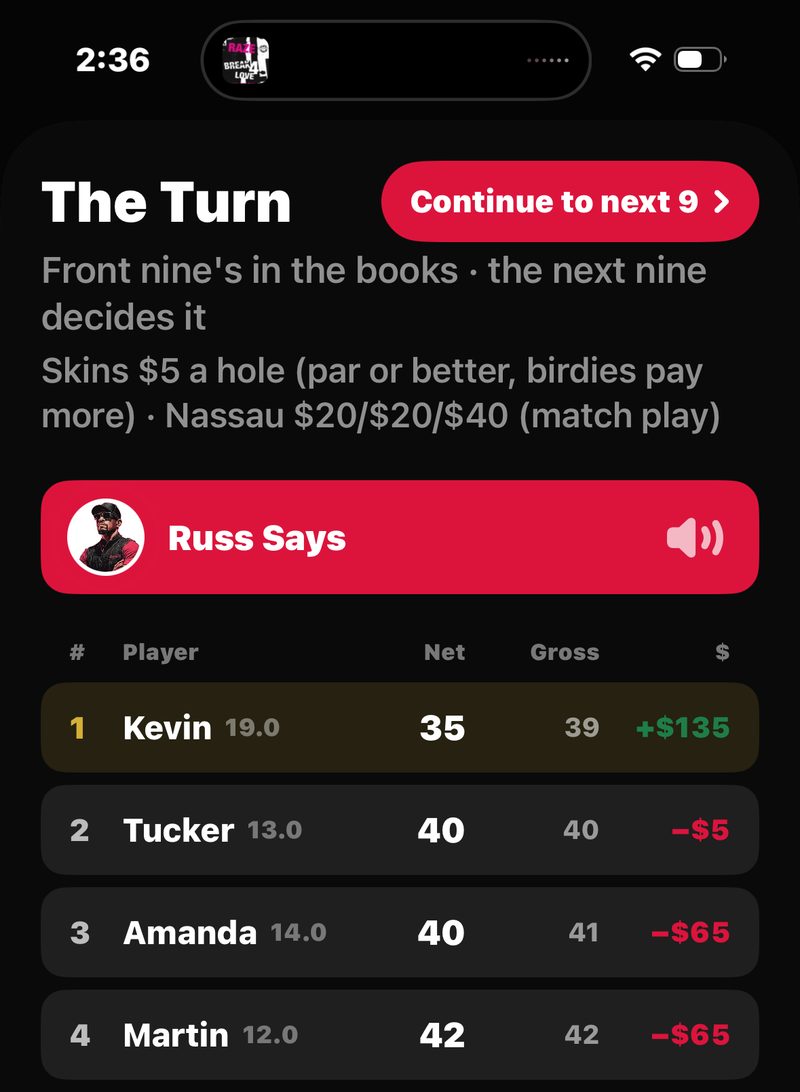
The live standings sheet. Shows where everyone stands on each game in play: Nassau front/back/overall, Skins, Match Play, Stroke Play, Wolf, Snake, Pot, Pot Skins, FOREMajors, Four-Ball, Scramble, Vegas. Money in motion, presses running, who’s up. (In a friendly no-wager round this shows the score standings only, no money.) Tap the Says button with your Golfcaster’s name to hear it read out.
For Nassau pairs, tap to expand and see the per-hole match record. For Skins, tap to see the carryover history and who’s won which holes.
Presses
If you’re 2 or more down in a Nassau segment, a Match Play bet or a Stroke Play bet, you can press. A press is a new bet at the same stake, from the next hole to the end of that segment. In a match, 2 down means 2 holes. In medal or stroke play, it means 2 strokes. Only the player who’s behind can press (the host presses for a guest).
Tap Presses and the sheet lists every press you can call right now. Tap Press $X and it’s on. Your Golfcaster announces it, and it shows up as a new line on the Standings.
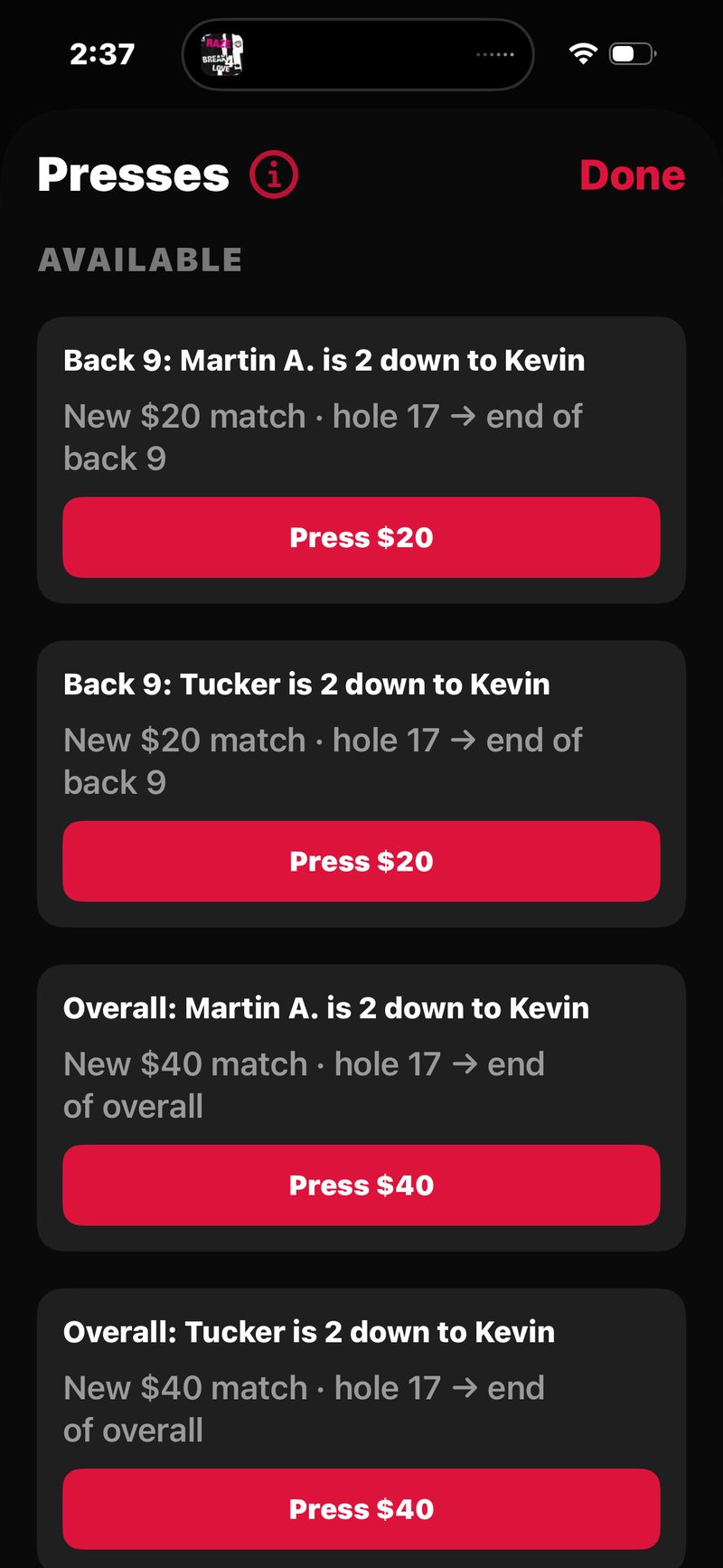
You usually won’t need the menu for this. Over the closing holes (15–18 on an 18-hole round), FOREPAID prompts the player who’s behind when a Nassau match segment can be pressed.
Crimson Jacket buy-ins (host, FOREMajors)
Only shows in a FOREMajors round, and only for the host. Didn’t qualify for the Crimson Jacket (the final match on 16–18)? A player can still buy in for double the Jacket entry. The host records each buy-in here, before the 16th tee. See FOREMajors.
Wolf / Snake (when in play)
The corrections sheet for the two event games. Wolf calls and three-putts are normally captured right on the score pad, with the gold Wolf banner and the snake button beside each name. This menu item is the fallback. It opens on the hole your map is showing, where you can set or change that hole’s Wolf call, or toggle a three-putt.
Share code
Your round’s 4-digit join code, with a share sheet. Tap the ⓘ for a quick explainer. Friends type the code into Join with code on their Play tab and land in this round. Join codes work until the host taps Start Round.
Mute your Golfcaster on this phone
Any phone can mute the Golfcaster on its own device without affecting the others. The row carries your Golfcaster’s name, like Mute Russ. The MUTE button at the bottom of the map rail does the same thing, and turns red (reading MUTED) while you’re muted. Useful if you’re sharing a cart with someone who’d rather not hear the calls.
Mute is per phone and lasts for the rest of the round. Unmute the same way.
Golfcaster (host)
Switch voices mid-round: tap Russ, Ian or Sloan. The whole group hears the new voice. If the new one is still downloading, the current voice keeps talking until it’s ready, then hands off.
Golfcaster level (host)
Switches the trash-talk level mid-round: Friendly, Spicy, or Uncensored. The row carries your Golfcaster’s name, like Russ Level, Ian Level or Sloan Level, and the ⓘ explains each level. Only the host (round creator) can change the level for the whole foursome. The new level starts with the next call.
Want to dial it up for the back nine? This is the control.
Foursome audio (host)
The host decides which phones in the foursome play Golfcaster audio. Useful for groups where one player wants the voice off entirely, or for a quieter back nine after the front was loud.
By default every player’s phone plays the audio. Turn a phone off and it stays silent for the rest of the round. Every other phone still hears the calls.
Home
Drops back to the Play tab without ending anything. The round keeps running and shows as ROUND IN PROGRESS. Tap Resume to get back in.
Finish at Hole N / Review Scores (host)
This row changes with the round. Once every hole is scored it reads Review Scores. Partway through it reads Finish at Hole N, where N is the last hole you scored. (Before anything is scored it reads Finish round now.) Either way it says Saved in History · settles the bets, and opens Review. Changed your mind? Tap Keep Playing.
Finishing early is the rain-out or sunset finish, not a cancel. Every hole up to N needs a score (or a DNF). Unplayed holes simply don’t count. A Nassau segment that didn’t get all its holes in voids (no winner, no money) while everything else settles normally, and the round lands in History with a “Partial” tag.
Cancel round (host)
Deletes the round: scores, bets, everything. Nothing is saved to History. If any hole has a score, you get a choice first: Finish at Hole N (keeps every score and settles what you played), Cancel Round, or Keep Playing. Everyone else in the round sees that it was cancelled.
Leave round (everyone but the host)
If you didn’t create the round, you see Leave round instead of the finish and cancel rows. It takes you out of the round, and the round won’t count for you.
Not in the menu: the scorecard and the rail
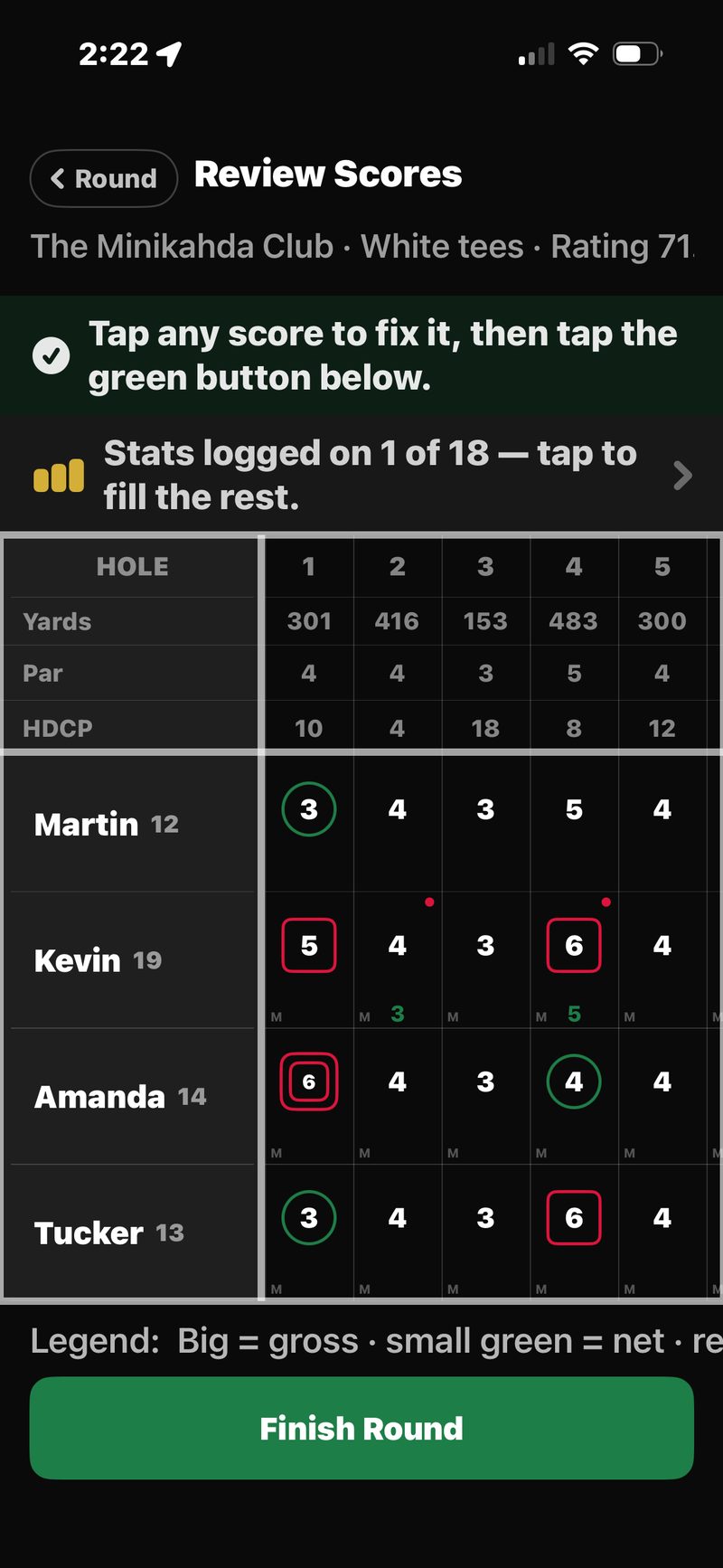
The scorecard lives on the map rail, not in the menu. Tap CARD for the live, full-round scorecard: every player, every hole, gross and net, with stroke dots and skin-winner markers. Tap any score to fix it, and the app asks you to confirm the change.
The rest of the rail, top to bottom: CLUB, CARD, STANDINGS, HOLE / GREEN / SLOPE, and MUTE at the bottom. See the rail tour.