In-Round Basics
What happens during a FOREPAID round — score entry, advancing holes, multi-phone sync, and your Golfcaster.
- Picking a game mode (Play with friends / Play solo / Rangefinder)
- Entering scores
- Advancing to the next hole
- Multi-phone sync: everyone’s on the round
- Your Golfcaster during the round
- The map rail and the ☰ MENU
- Cart phones & shared scoring
- Score corrections
- Score conflicts (when someone changes your score)
- Finishing, cancelling or leaving a round
- Solo modes (Play solo & Rangefinder)
- Closing the app and coming back
Picking a game mode
The Play tab has three ways to play, plus two pills for scheduling and joining:
- Play with friends. You’re the host. You pick the course, the tees, the players, and the games. Friends join with your join code, or you add them. Add a game to play for money, or start a friendly round with no bet.
- Play solo. Just you and your scores, no foursome and no wagers. See Solo modes below.
- Rangefinder. Live yardages, no scoring. For when you just want distances.
- Join with code. Someone else set up the round and gave you a 4-digit code. Enter it and you’re in.
- Schedule. Set up a round for a future tee time. See Schedule a Round.
Entering scores
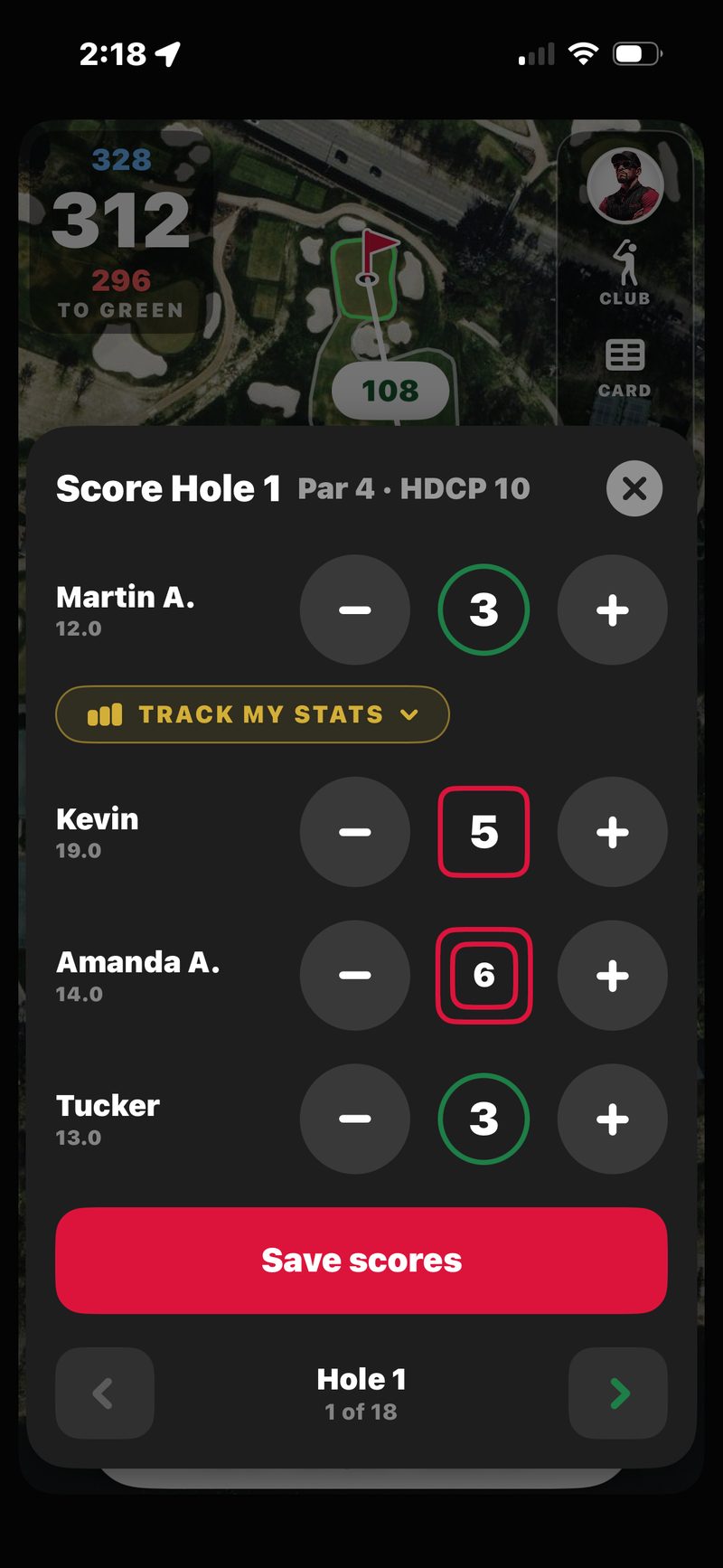
Tap SCORE at the bottom of the map to open the score pad. The top shows Score Hole N, the par, and the hole’s handicap, with one row per player. Tap Tap for par to log a par in one touch, or step −/+ to the number. Scores color automatically: birdies ring green, blow-ups box red.
The pad also carries the round’s in-flow controls: a Track My Stats row on your own score (fairways, greens, and putts on a glove-friendly compass; turn it off in Profile), a Wolf banner for one-tap Wolf calls when Wolf is in play, and a snake button beside each name to mark a three-putt when Snake is on.
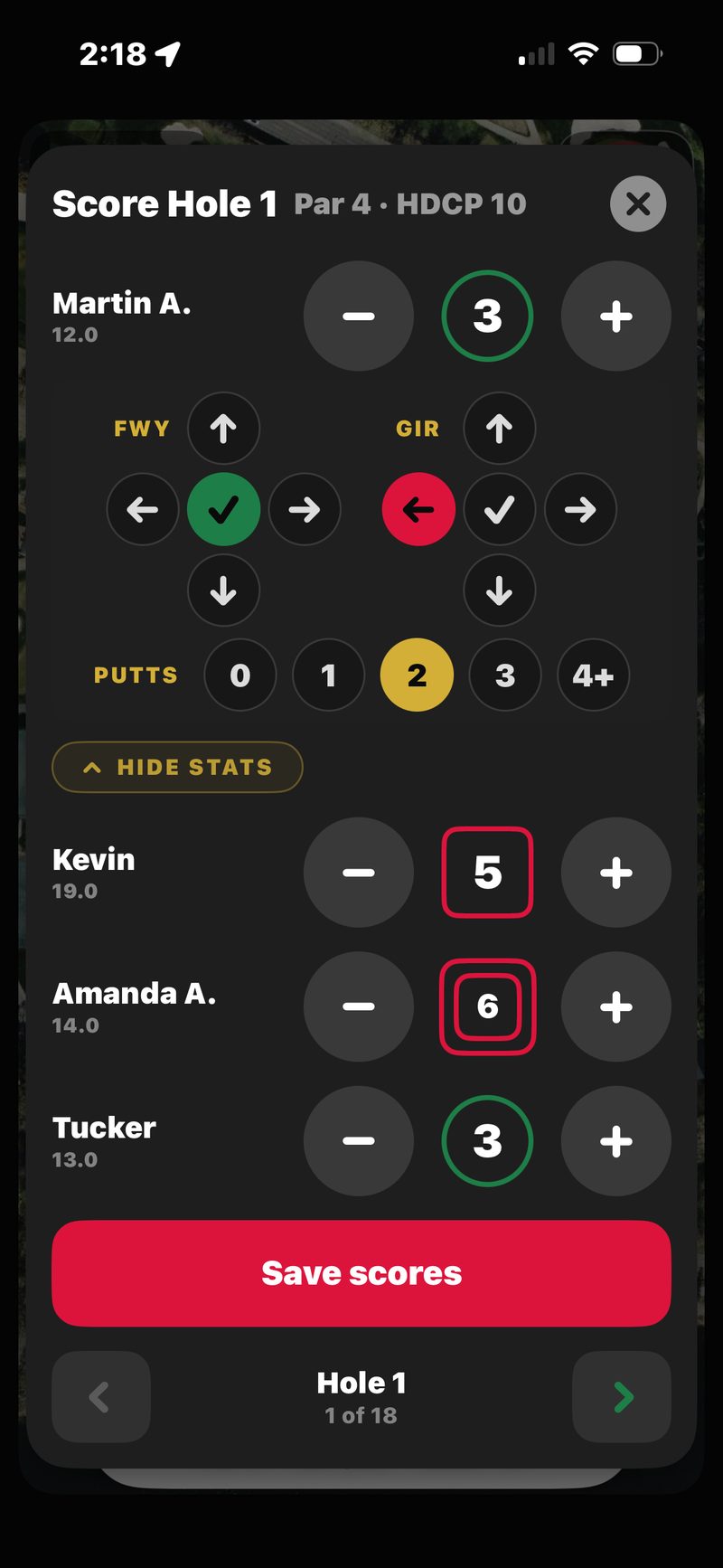
Every player on the round gets their own row. You can enter your own score or anyone else’s, from whichever phone is handy. Rows start empty, and Save scores only writes the players you touched.
Someone didn’t finish the hole? Long-press their name, tap their number, or step below 1 to mark them DNF. You can mark yourself or a guest any time, and another player only while their score is still empty.
Advancing to the next hole
On the score pad, tap Save scores. When every player on the hole is covered, the map moves to the next hole. Walk to the next tee and the map follows you there too. If you reach the next tee before the last hole is scored, the score pad pops up so you can enter it. You can also swipe the pad, or use the arrows on the hole pill, to move between holes any time.
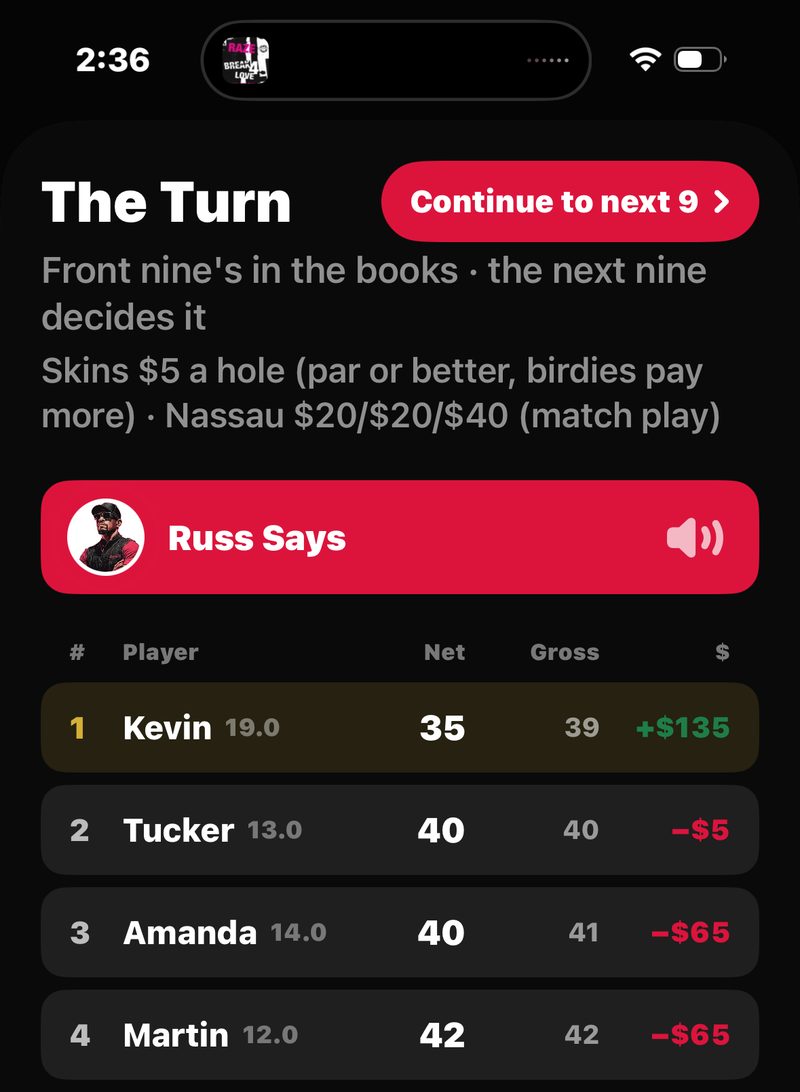
On an 18-hole round, your Golfcaster reads a turn report once the first nine holes are all scored, with the standings up on screen. The round wrap plays when the host finishes the round.
Multi-phone sync: everyone’s on the round
Every player sees the same round live. When one phone enters a score, it shows up on the other phones within seconds, and the standings and money update everywhere. Each phone’s map moves on its own, when that phone saves a hole or walks to the next tee.
Golfcaster calls stay in sync too. Once every player’s score for a hole is in, one call plays for that hole, and every phone plays the same one.
Your Golfcaster during the round
The host picks the round’s Golfcaster (Russ, Ian or Sloan) at setup. Your Golfcaster calls each hole once the scores are in, whenever someone did something worth talking about: a birdie, a blow-up, a press, a skin won. The calls use names (“Bryan, that’s a birdie”) and read the bets (“Closes the front nine 2 up”). On 18-hole rounds you get a turn report after the first nine, and a round wrap at the end.
You stay in control. The host picks the trash-talk level (Friendly, Spicy, or Uncensored) at setup and can change it, or switch Golfcasters, mid-round from the ☰ MENU. Any phone can mute the Golfcaster on its own device without muting it for the others. See The Golfcasters for the full breakdown.
The map rail and the ☰ MENU
The right edge of the map is your Golfcaster’s rail. Top to bottom: CLUB (a club call), CARD (the full scorecard), STANDINGS, then HOLE / GREEN / SLOPE to switch views, and MUTE at the bottom. MUTE turns red and reads MUTED when your phone is muted. Along the bottom of the map: ☰ MENU, your score to par with how many holes you’re through, and SCORE. See the rail tour.
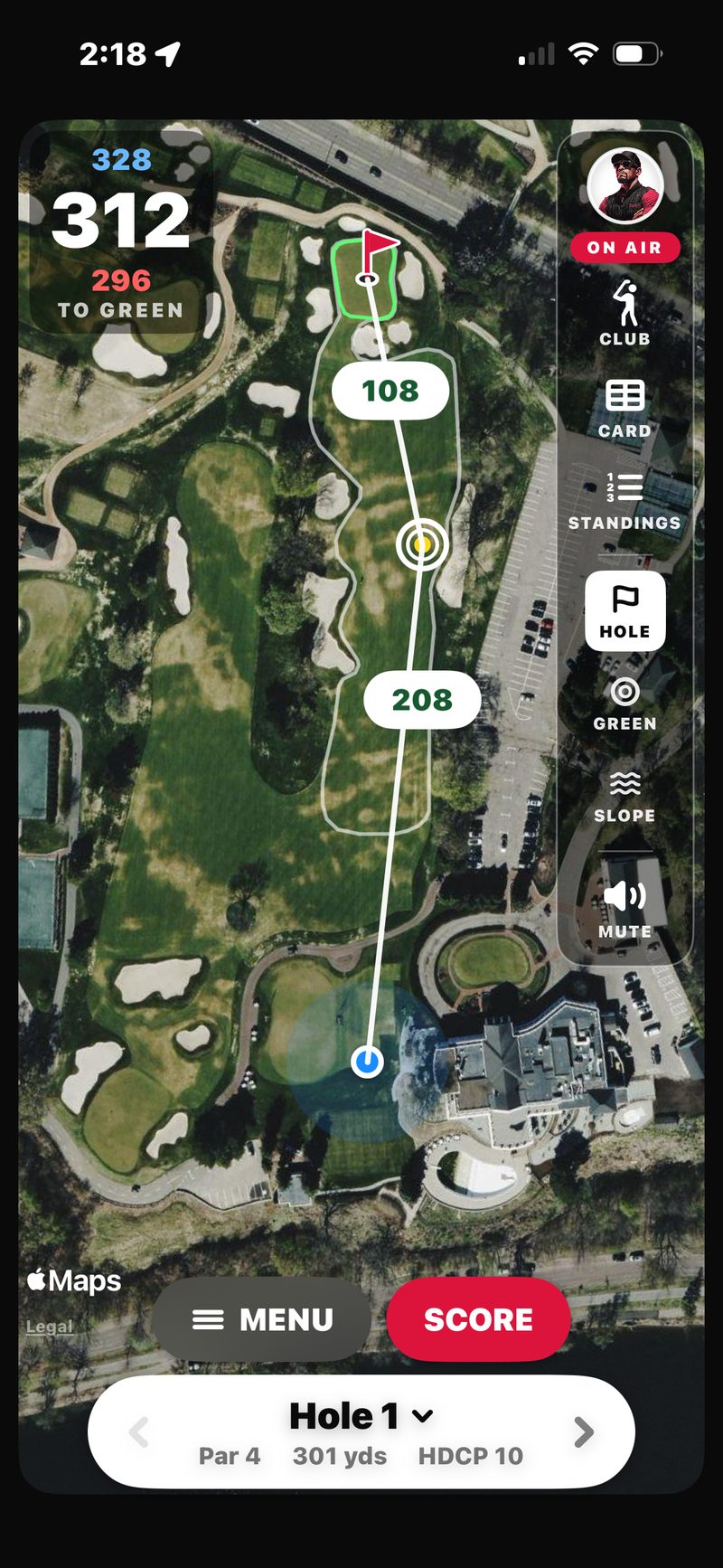
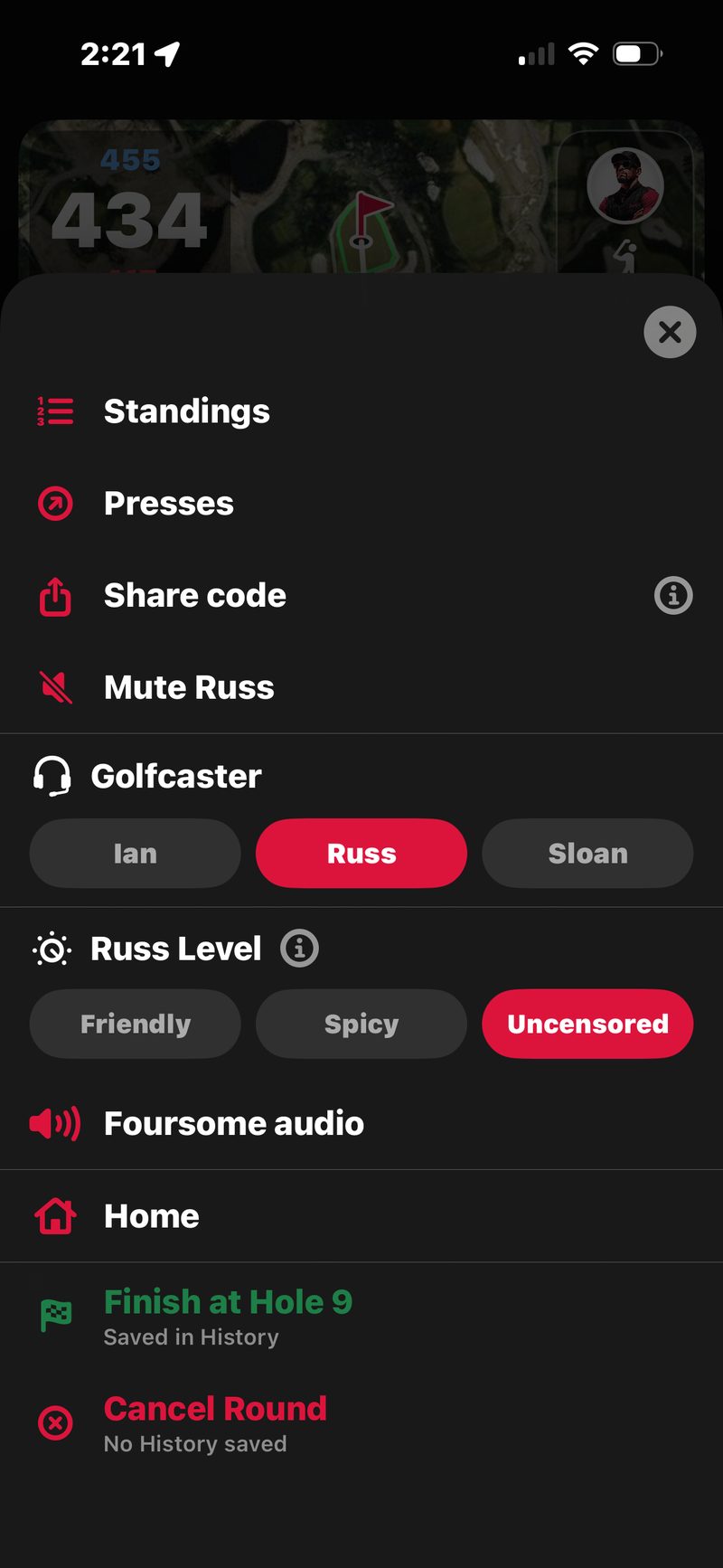
Tap ☰ MENU for everything else. Everyone gets Standings, Presses, Share code, Mute (with your Golfcaster’s name, like Mute Russ) and Home, plus Wolf / Snake when it’s in play. The host also gets the Golfcaster switch, the trash-talk level, Foursome audio, and the round’s exits. Everyone else gets Leave round.
See In-Round Menu for the full walkthrough of every item.
Cart phones & shared scoring
If you’re sharing a cart and only one phone is on the round, that’s fine. Enter both players’ scores from the same device. FOREPAID tags every score with who entered it, so the record is clean.
If a player’s phone is dead or left in the car, just enter their scores from yours. Anyone on the round can score anyone.
Score corrections
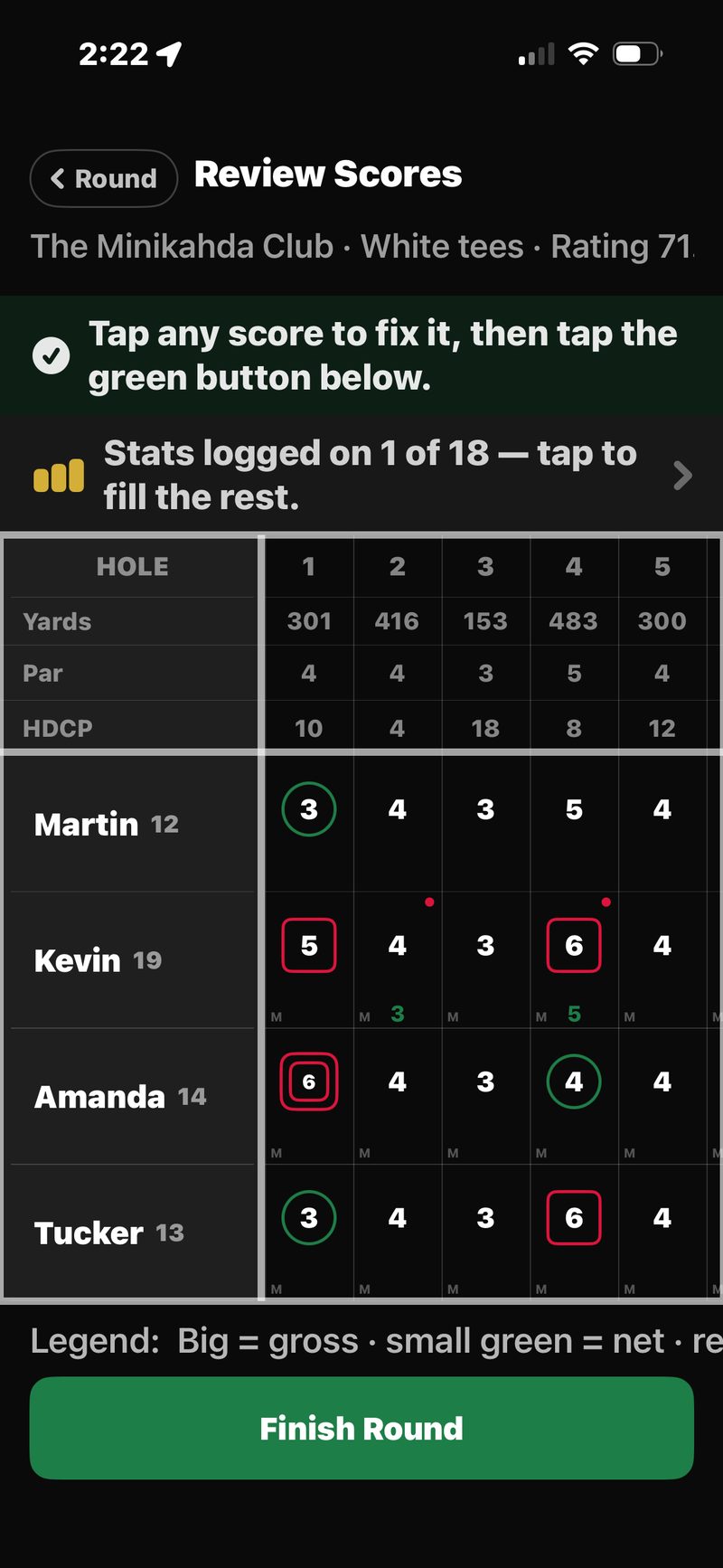
Made a mistake? Tap CARD on the rail and tap any score to fix it, or go back to that hole on the score pad. If that hole’s call already played, the app asks whether to keep the change. FOREPAID recomputes the round live: standings, skins, presses, the whole settle math.
If the round is already being settled, an edit sends it back to Review and shows a “Scores changed — re-confirm” banner on everyone’s Review card, so the money can’t lock in with a wrong number. See The three post-round phases for details.
Score conflicts: when someone changes your score
Any phone in the foursome can enter any player’s score. So when someone changes a player’s score after somebody else already entered it, FOREPAID doesn’t just take the new number. It flags a conflict and asks. Fixing your own score never makes a conflict, and neither does any change to a guest’s score.
What you’ll see
- A gold ⚠️ next to that score.
- The standings use the changed number right away.
- Settling waits until every conflict is cleared. At Review, a BEFORE YOU SETTLE sheet lists any that are still open.
Who resolves it
The player whose score it is, or the host. The host can resolve any conflict at any time. Tap the ⚠️ to open the sheet. It shows the score you had (PREVIOUSLY) and the change (PROPOSED). Tap Confirm to accept the new number, or Revert to go back to the old one. The conflict clears for everyone, and the record shows who resolved it.
Finishing, cancelling or leaving a round
The host’s ☰ MENU has the round’s exits:
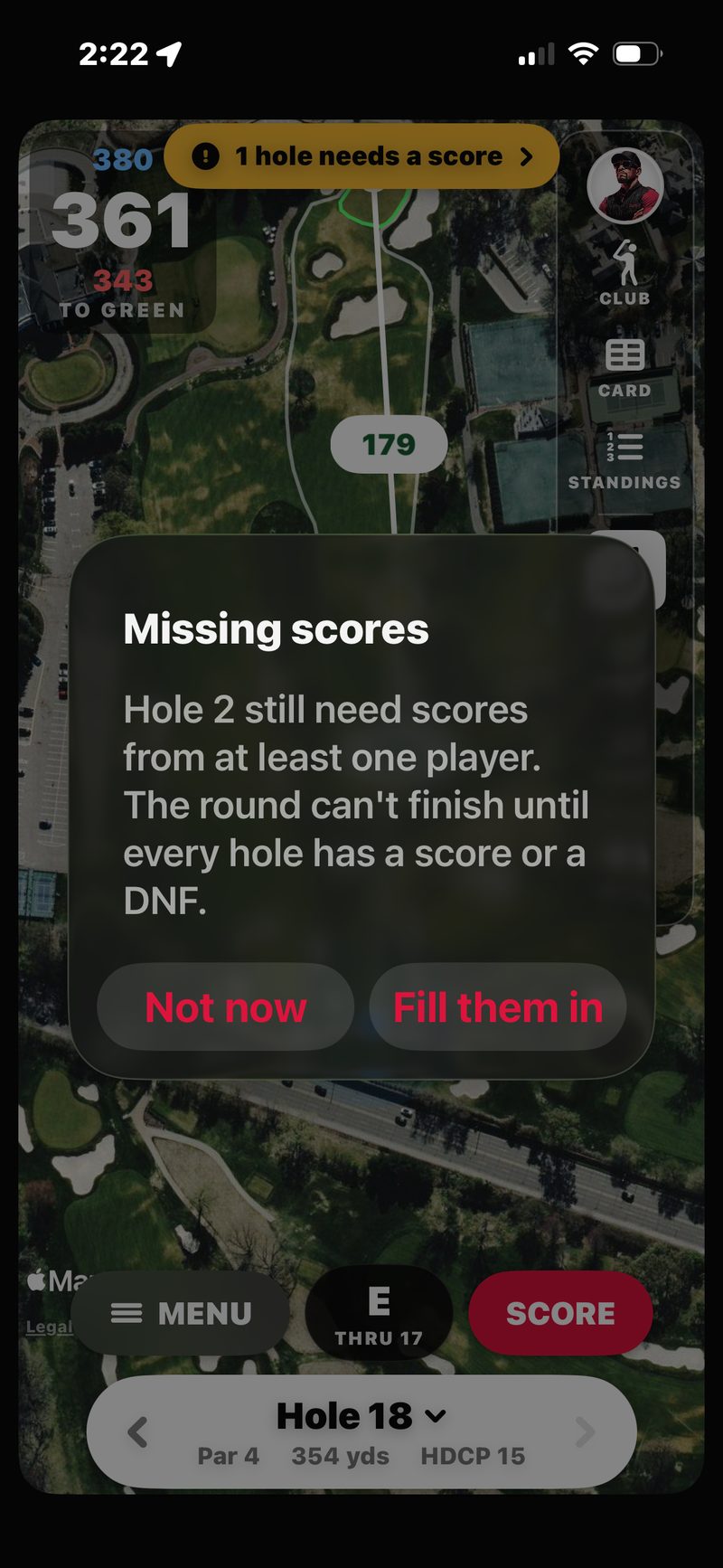
- Review Scores shows once every hole is scored. It opens the full scorecard. Check it, then tap Settle Up (or Finish Round in a friendly round).
- Finish at Hole N shows when you’re partway through. It keeps every score, settles the holes you played, and saves the round to History. Use it for rain-outs and sunsets.
- Cancel round deletes the round. Nothing is saved to History. If any hole has a score, you get a choice first: Finish at Hole N, Cancel Round, or Keep Playing.
Everyone else sees Leave round instead. It takes you out of the round, and the round won’t count for you.
Solo modes: Play solo & Rangefinder
Not every round is a foursome with money on the line. FOREPAID has two solo modes you can use any time:
Play solo (just you, no money)
Pick a course and your holes (18, Front 9 or Back 9), and go. No foursome, no wagers. Pick your Golfcaster (Russ, Ian or Sloan) and they call your round. Want a match? Turn on Play against your Golfcaster: they post a card that shoots the handicap you set and call the match as you go. No money, just bragging rights.
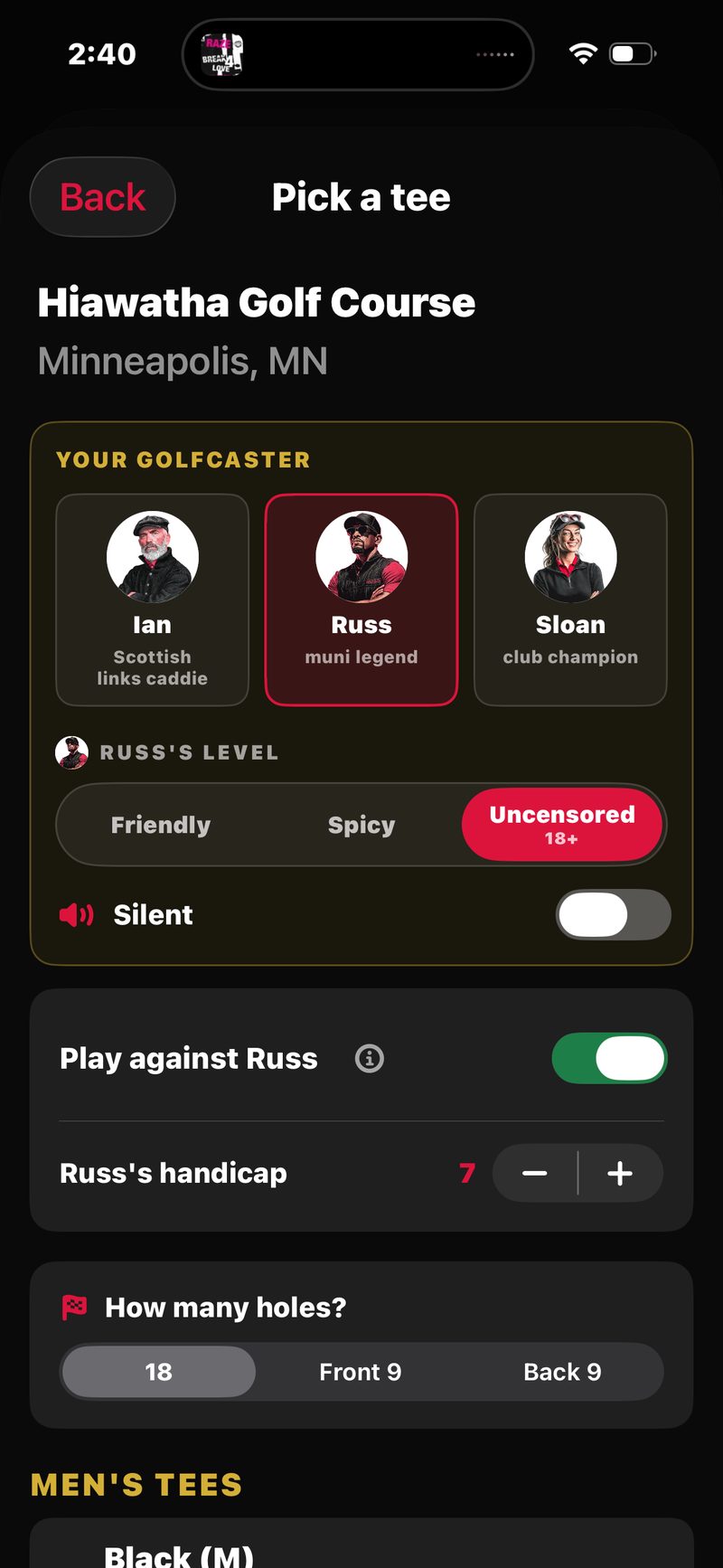
With Track my stats on, solo rounds also let you count bunker shots, hazards and OB.
Useful for: a quick after-work nine, practice rounds before a tournament, learning a new course, playing alone when your usual foursome can’t make it.
Rangefinder (no scoring, just distances)
Tap Rangefinder on the Play tab for the GPS map only. No scorecard, no wagers. Walk the course with live front / middle / back yardages that follow you shot to shot. Your Golfcaster still calls your clubs when you tap CLUB. The fastest way to use the app when you’re playing with a non-FOREPAID group and just want the numbers.
The Rangefinder has its own ☰ MENU: Club calls by to pick the voice, Voice on or Text only, Change course, and Exit Rangefinder. See the GPS feature tour for what you can do on the map itself.
Closing the app and coming back
You can close the app any time during a round and come back later. The round keeps everything. Open the app and tap Resume on the ROUND IN PROGRESS card on the Play tab. A round left open for more than a day shows as ROUND STILL OPEN so you can finish or cancel it.
If you lose connection (no signal at a remote course), FOREPAID holds your score entries on your phone and sends them when signal returns. Other phones in the foursome see the updates as soon as you’re back online.
Your yardages also show on your lock screen, and on your Apple Watch if you have the FOREPAID watch app. See Apple Watch and lock screen.