GPS
Live front / middle / back yardages, plays-like distances, green slope reads, and auto-advance. On 35,000+ courses in 135 countries.
- What you see on the GPS screen
- Opening the GPS view
- Distances: front, middle, back
- Plays-like distances
- Auto-advance as you walk
- The map follows your ball
- Move the pin to today’s flag
- Green Slope: read the break
- Your Golfcaster caddies the round
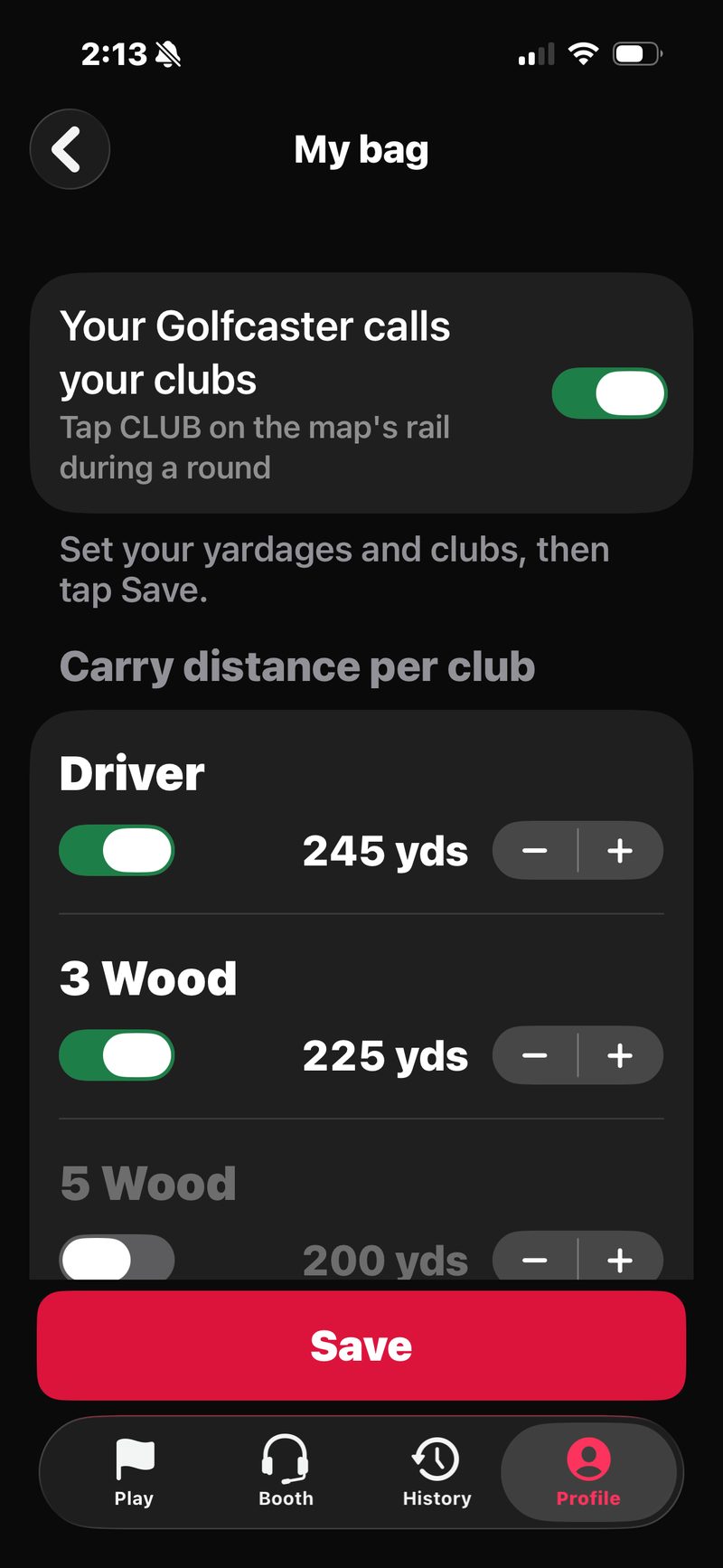
- Club calls & My Bag
- The Golfcaster rail
- Apple Watch and lock screen
- Accuracy & signal
- Battery tips
- Course coverage
What you see on the GPS screen
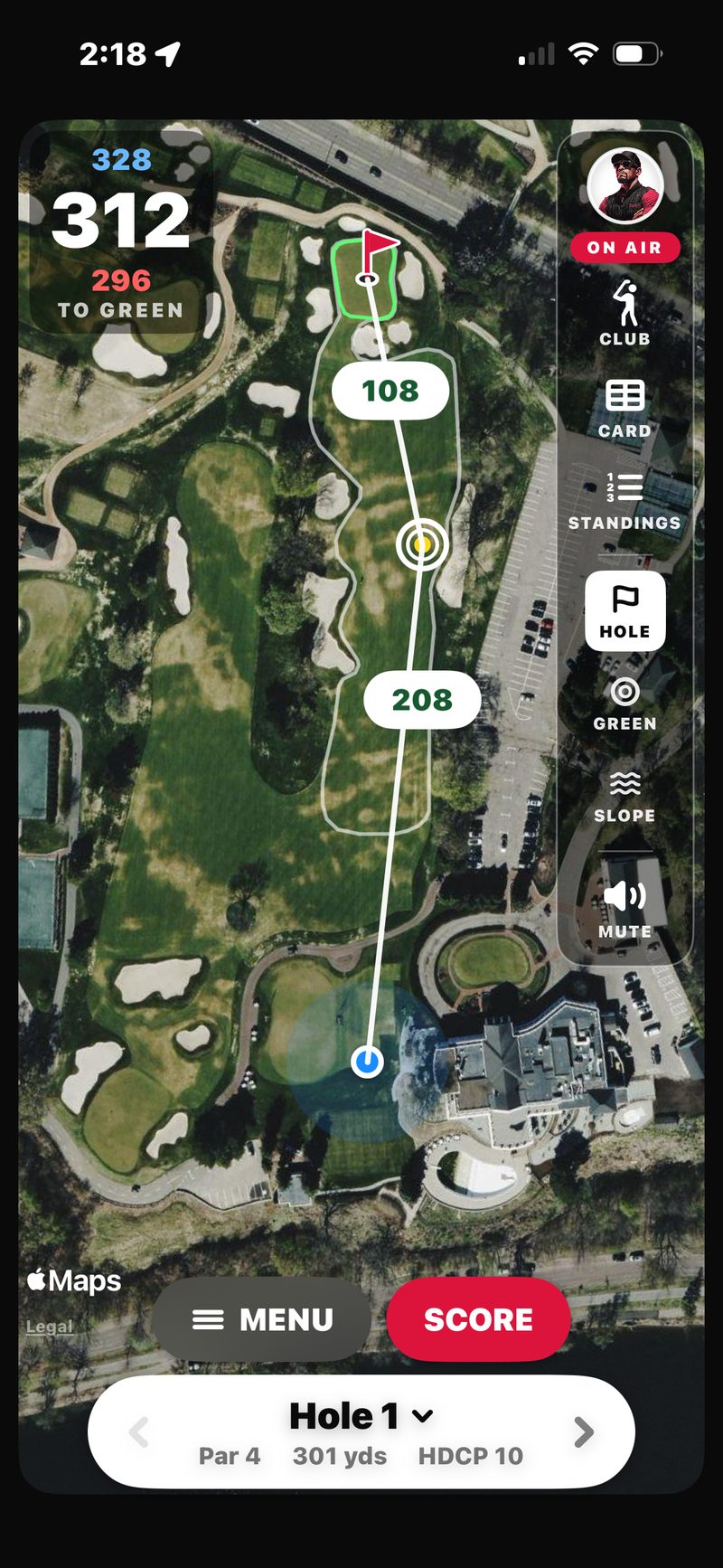
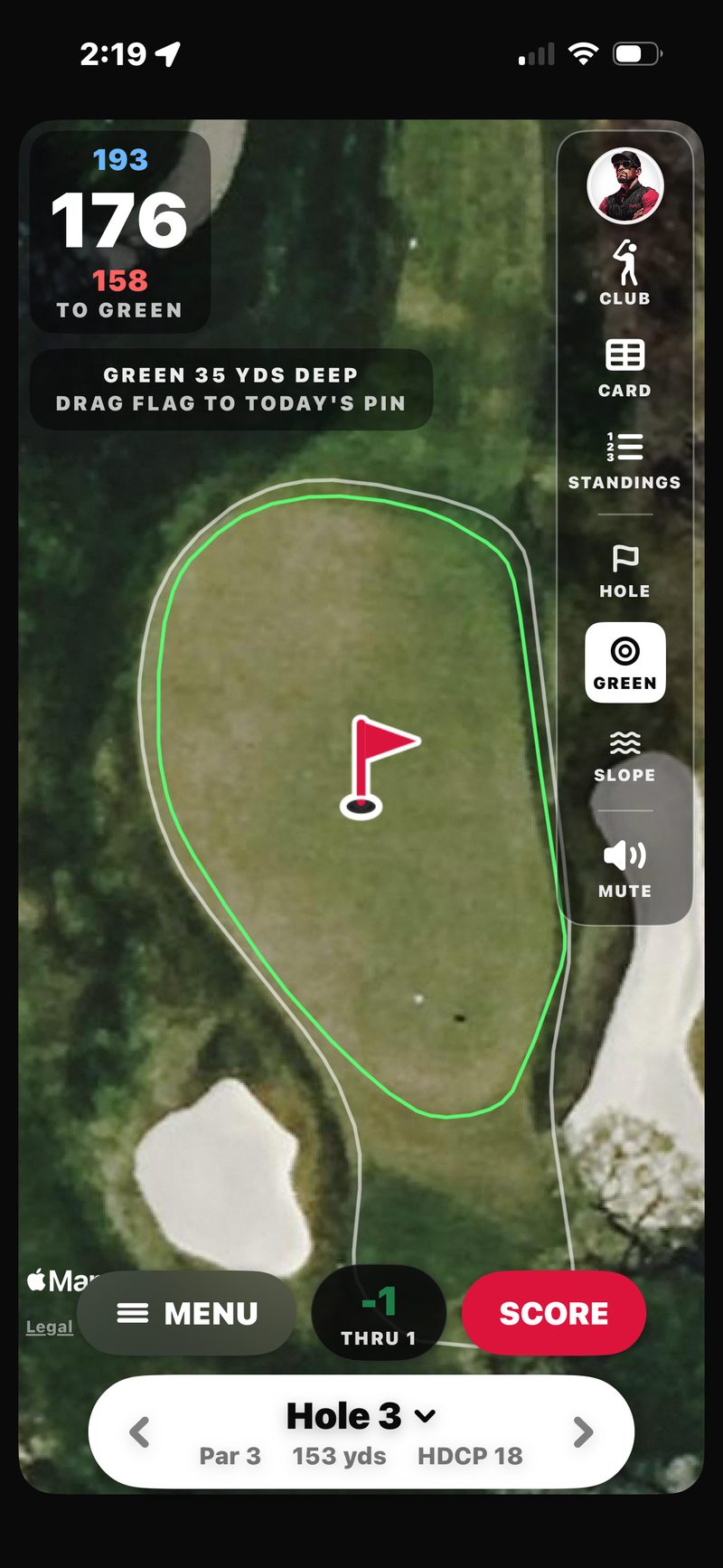
The GPS view shows a satellite aerial of the hole you’re playing, with the fairway and green outlined on top. A blue dot marks where you are, and your yardages are on screen the moment the view opens.
The yardage card in the top-left stacks three numbers: back in blue on top, middle in big white, and front in red below. One red flag marks the pin on the green. The numbers update in real time as you walk.
Opening the GPS view
You don’t. It opens itself. The map is the round’s home screen: starting a round lands you straight on the GPS Hole View, with scoring, the ☰ MENU, and your Golfcaster all riding on top of the aerial. Just want distances, no scoring? Tap Rangefinder on the Play tab.
The Rangefinder
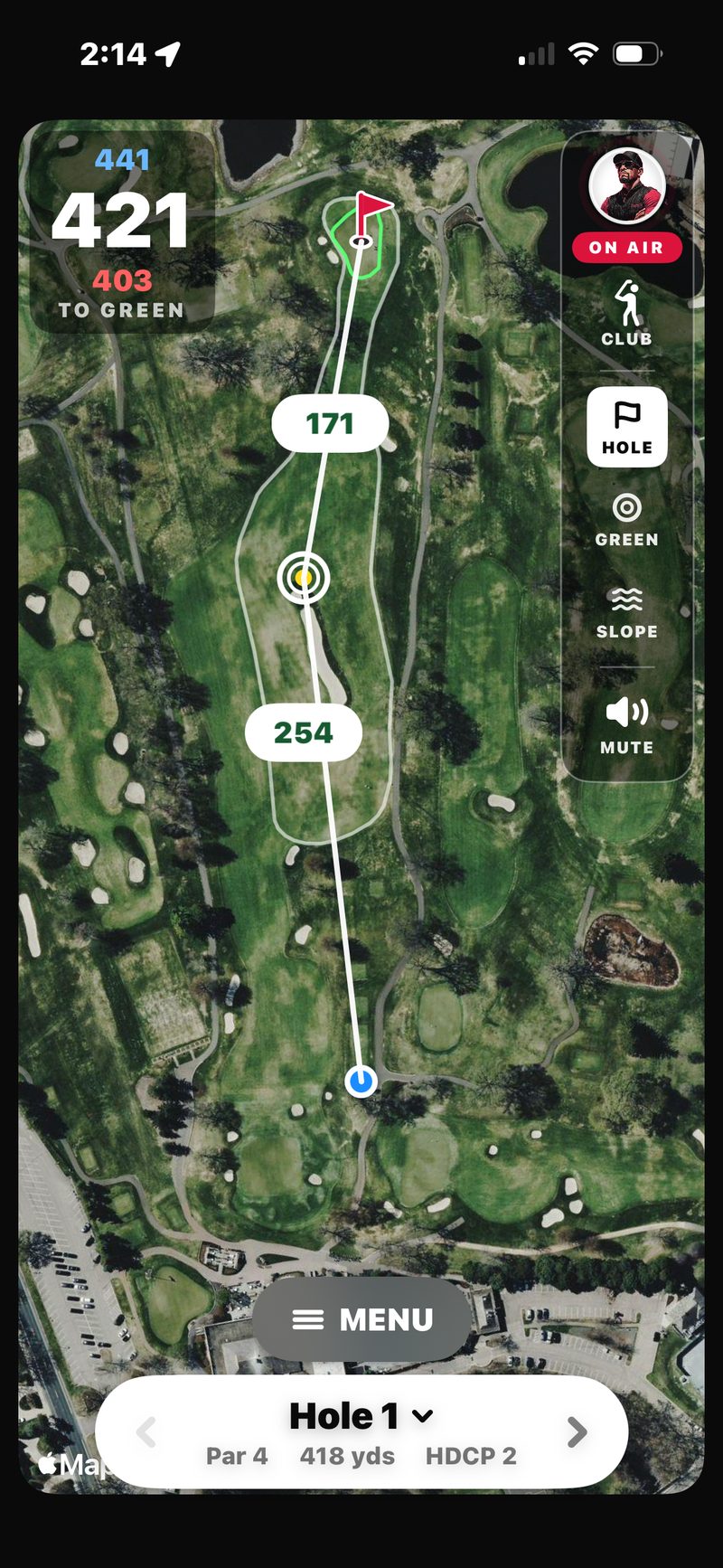
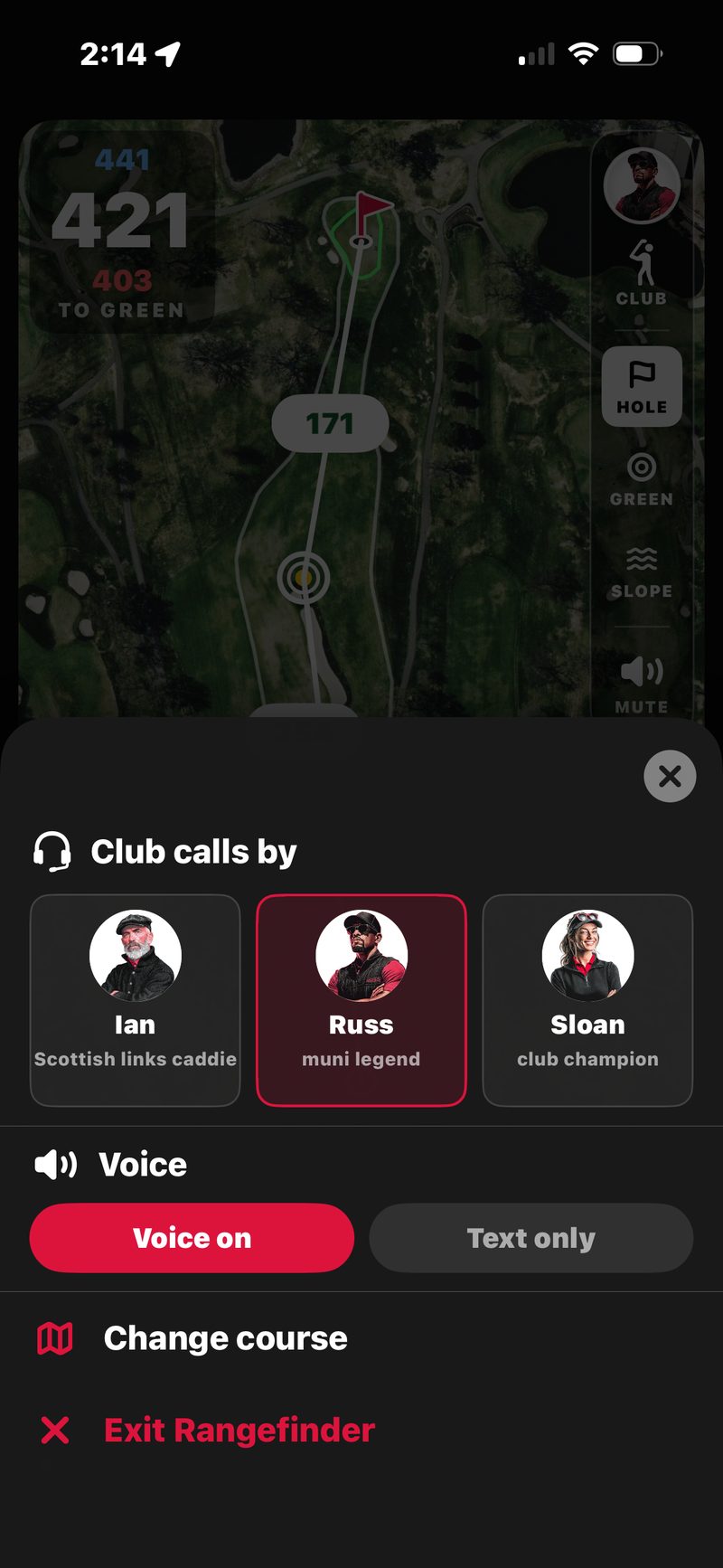
The Rangefinder is the same GPS map with live yardages and no scoring. The rail has CLUB, HOLE / GREEN / SLOPE and MUTE. Its own ☰ MENU picks who calls your clubs (Club calls by), switches between Voice on and Text only, and has Change course and Exit Rangefinder.
Distances: front, middle, back
- Middle of the green. The big white number, your default club-selection number. Move the pin and it becomes your TO PIN number.
- Front of the green. The red number. Your carry-it-on number when trouble guards the front.
- Back of the green. The blue number. Your don’t-fly-it-past number.
The distances follow you shot to shot. Walk 40 yards up the fairway and the numbers walk with you. No taps, no waiting for a fix: the view opens with your yardage already up.
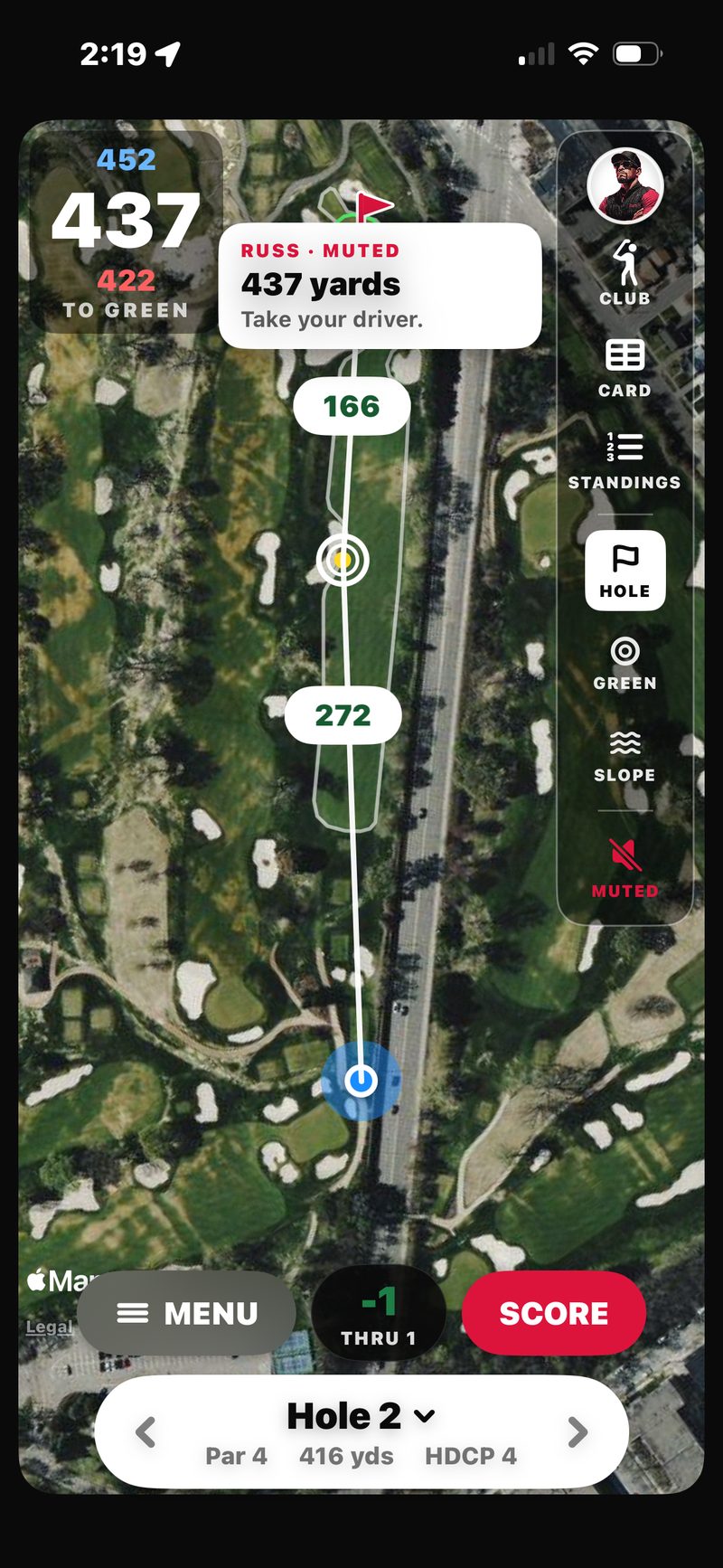
On the hole view, a target line runs from you to an aim point, with two numbers: you to the aim point, and the aim point to the green. Drag the aim point to plan a layup. On a par 5 you can get a second layup ring when the green is out of reach.
Plays-like distances: elevation and wind
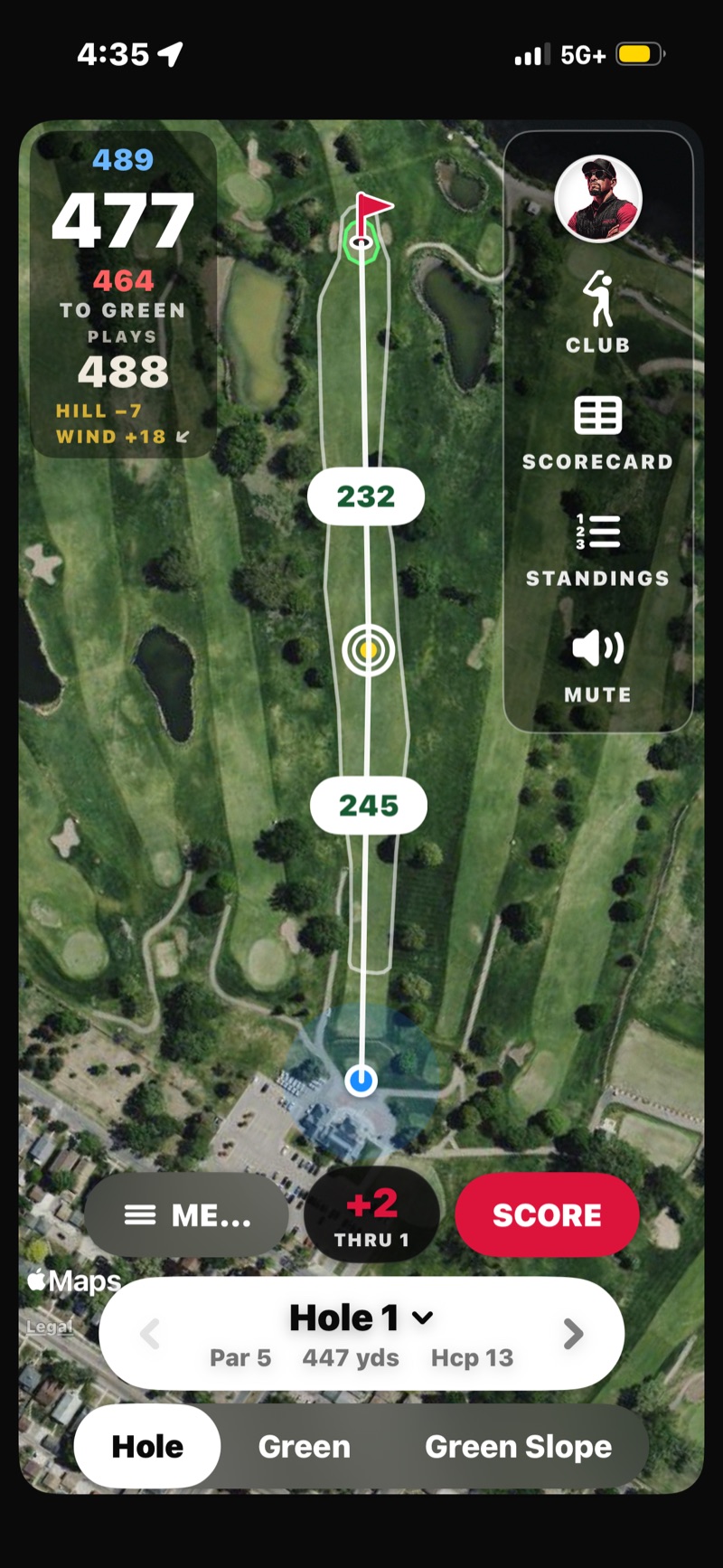
On a hole that climbs or drops, the raw yardage lies, and the wind bends it further. FOREPAID adjusts for elevation and wind and shows the plays-like number with the breakdown under it. A 477 with 7 yards of downhill and 18 of wind against shows PLAYS 488, with HILL −7 and WIND +18 listed under it. Your Golfcaster says it out loud when you tap CLUB.
Auto-advance as you walk
The GPS view moves to the next hole when it sees you’ve reached that hole’s tee box. You don’t need to swipe or tap. Just walk to the tee and it follows. In a round, if you reach the next tee before the last hole is scored, the score pad pops up so you can enter it.
If auto-advance doesn’t catch the change (rare, usually a GPS-fix issue), use the ‹ › arrows on the hole pill at the bottom, or tap Hole N to jump straight to any hole. The back arrow dims on the first hole of your round.
The map follows your ball
As you play the hole, the map pans down the fairway with you, keeping your position and the green both in view, so the aerial always matches where you’re standing. It yields the instant you touch the map to look around, then eases back to following a few seconds after you let go.
Move the pin to today’s flag
The pin starts at the center of the green. Drag the red flag to where the flag actually is today (or tap the green in Green View) and the middle number re-reads to that exact spot as TO PIN. Your true pin distance, not just center-green. The pin stays put for that hole.
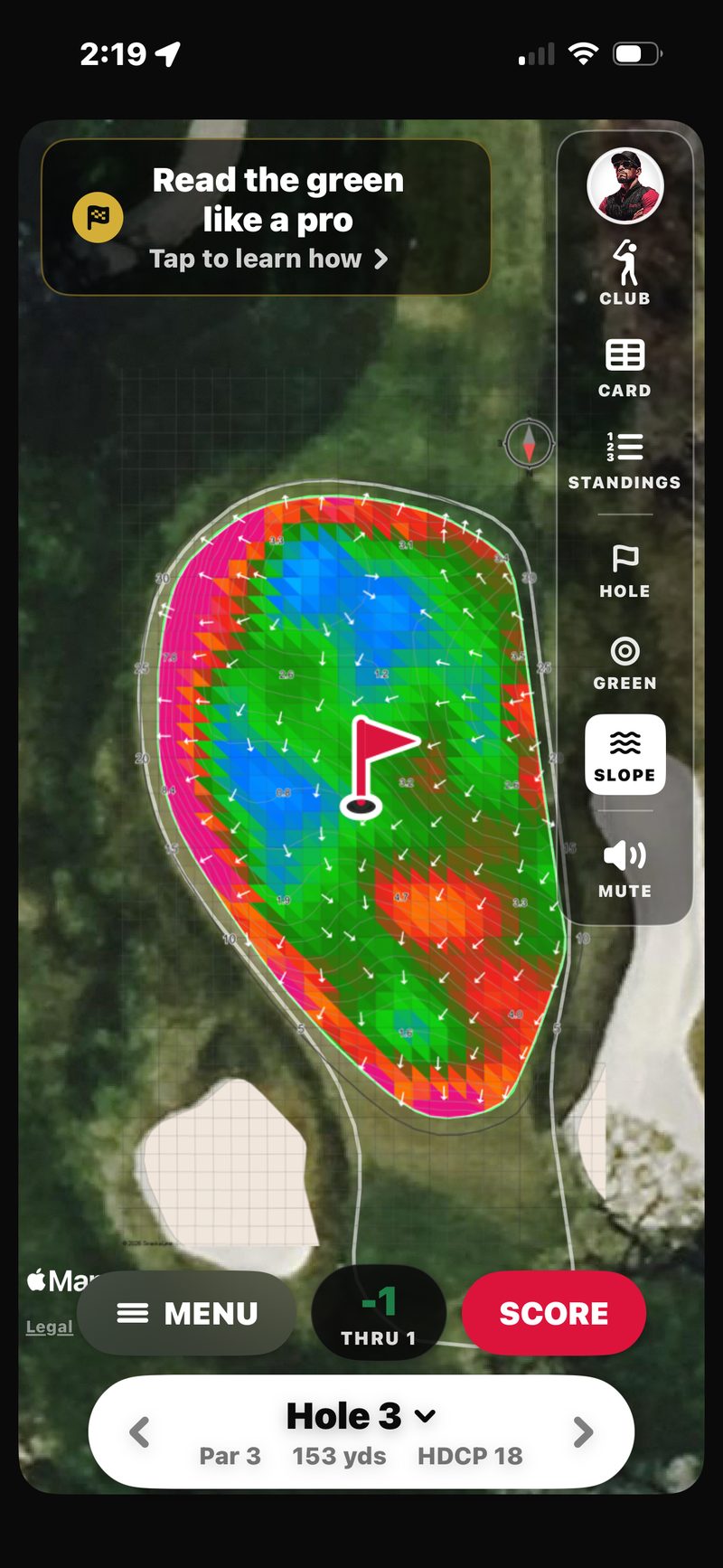
Green Slope: read the break
Tap SLOPE on the rail and the green fills with a StrackaLine slope map: color-coded contours for how steep each part is, arrows for which way it breaks, and grade numbers for the percent of slope. It’s the same pro-grade green read the tour caddies use, on your phone before you putt. A compass keeps you oriented, and the map stays inside the green’s real outline.
It shows a loading percentage the first time. Tap Read the green like a pro for a quick legend. If StrackaLine doesn’t have that green mapped yet, you’ll see a short note and the map drops back to Green view. Everything else still works.
Your Golfcaster caddies the round
Reach a tee and your Golfcaster previews the hole: hole number, par, the shape (“dogleg right”), and where the trouble is. Walk onto the green and you get another call. No taps. In a group round, one phone triggers each of these and every phone hears the same line. Russ, Ian and Sloan all do this, whichever one the host picked.
The view follows your feet too. Walking onto the green flips the map to a zoomed Green View automatically, and the next hole flips it back. Want an early look? Tap the green on the map to zoom in, and tap away from it to zoom back out. HOLE / GREEN / SLOPE on the rail always work manually.
Club calls & My Bag
Tap CLUB on the Golfcaster rail and your Golfcaster calls the shot for the plays-like number on screen. Out of the box it comes in buckets, like “That’s your 150 club.” Set your carry distances once in Profile → My bag and it names your actual club. In a round, on Green or Slope view, CLUB gives you the putter call instead.
Muted? CLUB still works. The call shows as a text card on screen. It works in every round and in the free Rangefinder, where the Rangefinder’s ☰ MENU lets you pick the voice (Club calls by) and switch between Voice on and Text only.
The Golfcaster rail: Club, Card, Standings, Hole / Green / Slope & Mute
Your Golfcaster’s avatar anchors the rail on the right edge of the map. It lights up ON AIR whenever they talk. Under it, top to bottom:
- CLUB. Your club call.
- CARD. The full scorecard: every player, every hole, gross and net.
- STANDINGS. Where the round and the money stand (or the low card in a friendly round). Tap the Says button in the sheet to hear it read out.
- HOLE / GREEN / SLOPE. Switch between the hole, the zoomed green, and the slope map.
- MUTE, at the bottom. Silences the Golfcaster on your phone only. It turns red and reads MUTED. The rest of the foursome still hears every call.
Along the bottom of the map sit ☰ MENU, your score to par with how many holes you’re through, and SCORE, with the hole pill under them. In the Rangefinder the rail has CLUB, HOLE / GREEN / SLOPE and MUTE, plus its own ☰ MENU.
Apple Watch and lock screen
While the map is up, your yardages ride along on your lock screen and in the Dynamic Island: the hole, par, front / middle / back, and plays-like when hill or wind apply.
Got an Apple Watch? The FOREPAID watch app shows front, middle and back, plus plays-like. In a round you can also enter your own score for the hole your phone’s map is on. Your iPhone does the GPS work, so keep it with you.
Accuracy & signal
GPS accuracy depends on satellite signal. Out in the open on most courses, distances are accurate to within a few yards. Under heavy tree cover, near tall buildings, or in poor weather, accuracy degrades.
Battery tips
GPS is the single biggest battery drain on any golf round. That’s true of every GPS app, not just FOREPAID. Here’s how the app helps, and what you can do on a 4-hour round:
- Battery saver kicks in by itself. After a minute without a touch, or as soon as the phone goes in your pocket, the round map switches to a dark battery-saver screen with your front, middle and back yardages and the plays-like number. Tap to wake.
- The screen stays on during a round, so you’re not unlocking it every shot. Head a couple of miles away from the course and the app stops keeping it awake.
- Lock your phone between holes if you like. The round keeps tracking.
- Carry a battery pack if you typically lose phone battery on long rounds. Same advice we’d give for any golf GPS app.
- Low Power Mode on iOS is safe to use; FOREPAID still works.
Course coverage
We cover 35,000+ courses across 135 countries via our course-data partner. Can’t find yours? Try adding the city to the search, like “East Lake Atlanta.” Still missing? Email support@forepaid.app and we’ll chase it with our data partner.
The Twin Cities and most major US metros have full coverage. International courses, smaller municipal layouts, and recently-renovated courses may have outdated data. Report issues to support@forepaid.app and we’ll get it fixed.