Guest Players
What to do when not everyone in your foursome has FOREPAID. (You may have heard these called ghost players.)
What is a guest player?
A guest is someone in your foursome who doesn’t have a FOREPAID account. You enter their scores from your phone, and they take part in every bet exactly like everyone else.
When to use one
- A buddy in your foursome doesn’t use FOREPAID yet.
- You’re playing with a guest at the club who doesn’t have the app.
If a player with the app has a dead phone or is sharing a cart, keep them as they are. Anyone in the round can enter anyone’s scores.
Adding a guest
- On the Pick your players screen during round setup, tap Tap to add a player.
- In the GUESTS box, tap Tap to add a guest (no app needed).
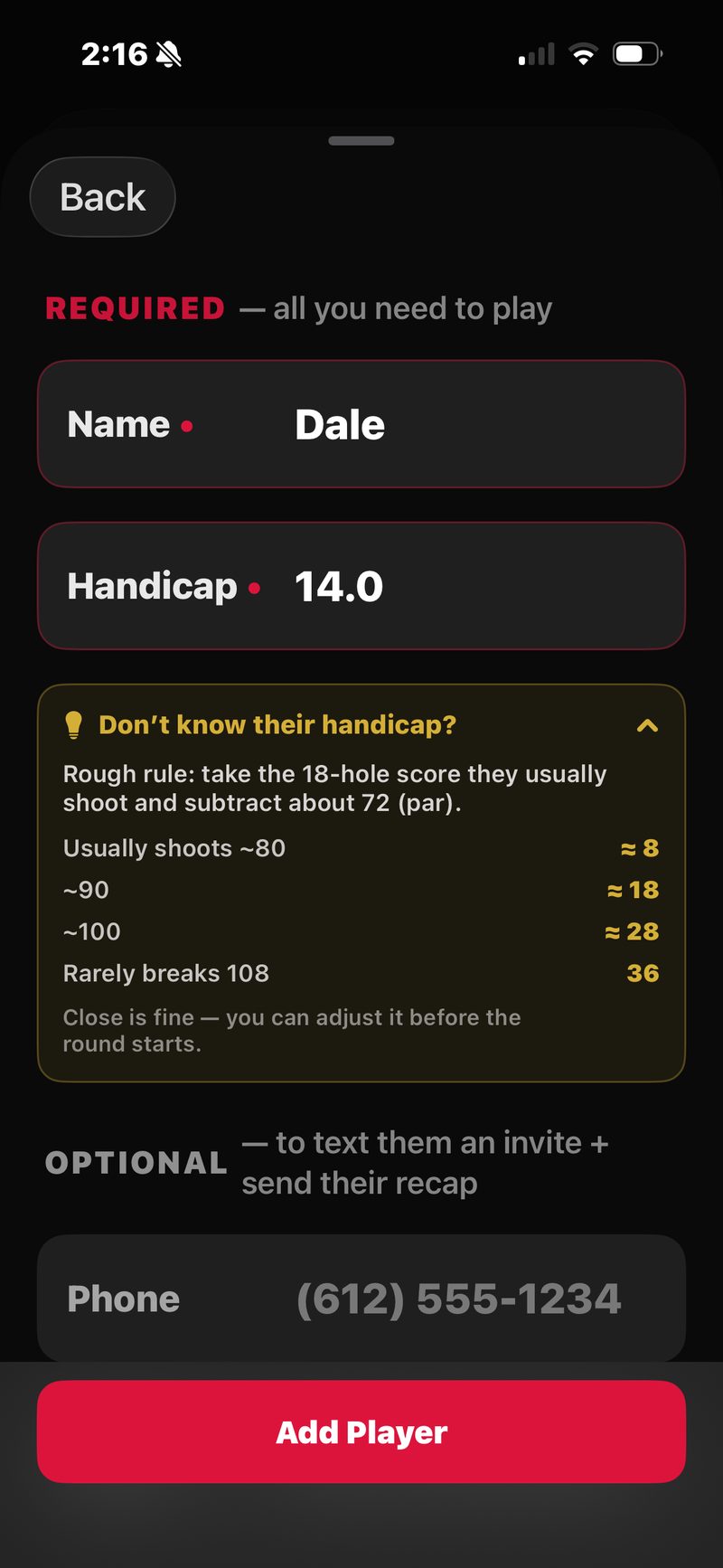
- Enter their name and handicap. Both are required. Not sure of their handicap? Tap Don’t know their handicap? for help.
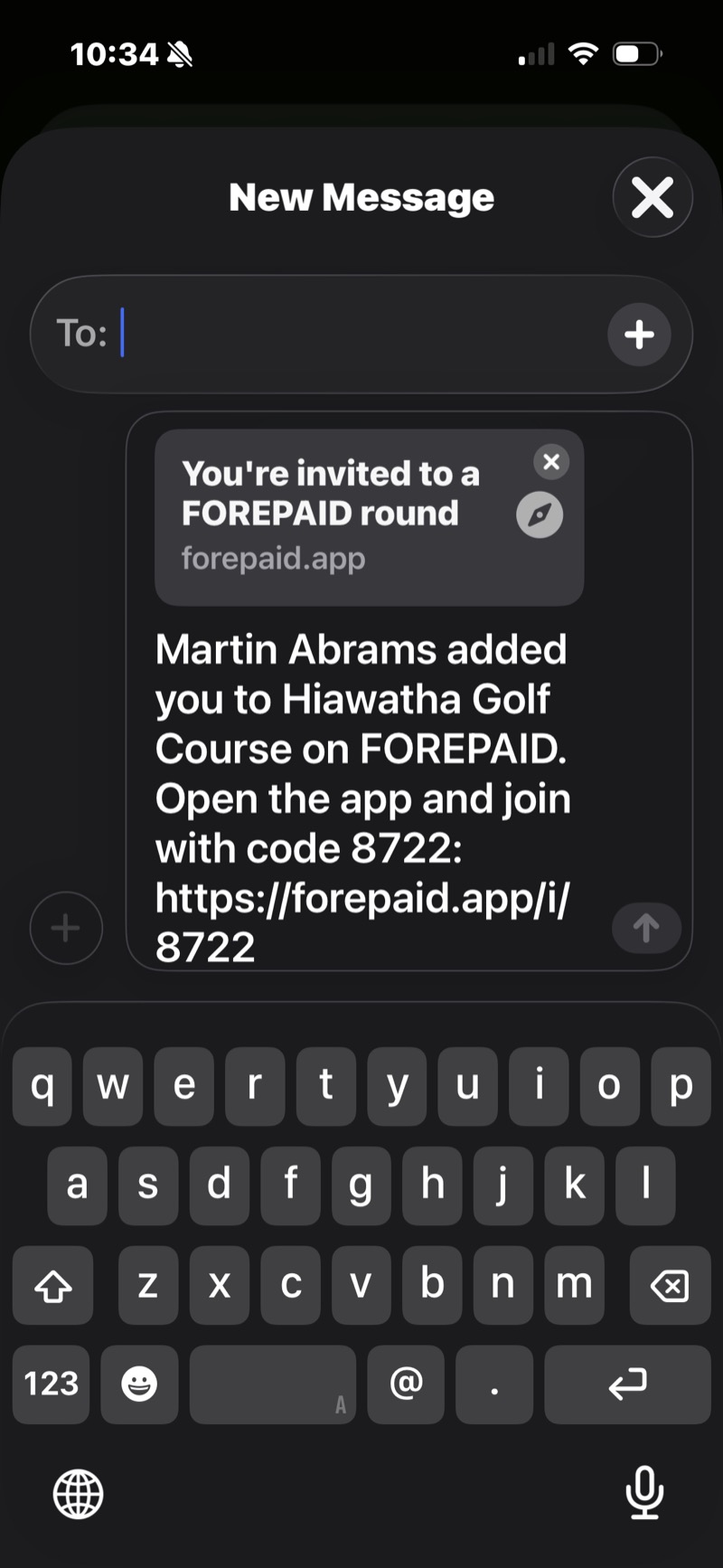
- Optional: add a phone and Messages opens on your phone with an invite text ready to send. It has a link to get the app. They don’t need the app to be scored.
- Optional: add an email and we email them their scorecard after the round.
- Tap Add Player. They appear in the foursome next to the players who have the app.
Played with them before? They show up under RETURNING PLAYERS at the top of the Add Players sheet. Tap to select them (name and handicap remembered), mix in friends who have the app, then tap Add.
Made a typo? Tap the name or handicap on the roster to fix it before you start. Each player in a round needs a different first name, since that’s what your Golfcaster calls out. Players can only be added before the round starts.
During the round
Guests show up on every screen like everyone else: Score Entry has their card, your Golfcaster calls their name, Standings tracks their money, and every game (Skins, Nassau, Wolf and the rest) includes them.
The only difference: their scores are entered from someone else’s phone (usually the host’s). FOREPAID records who entered each score.
After the round: text everyone the scorecard
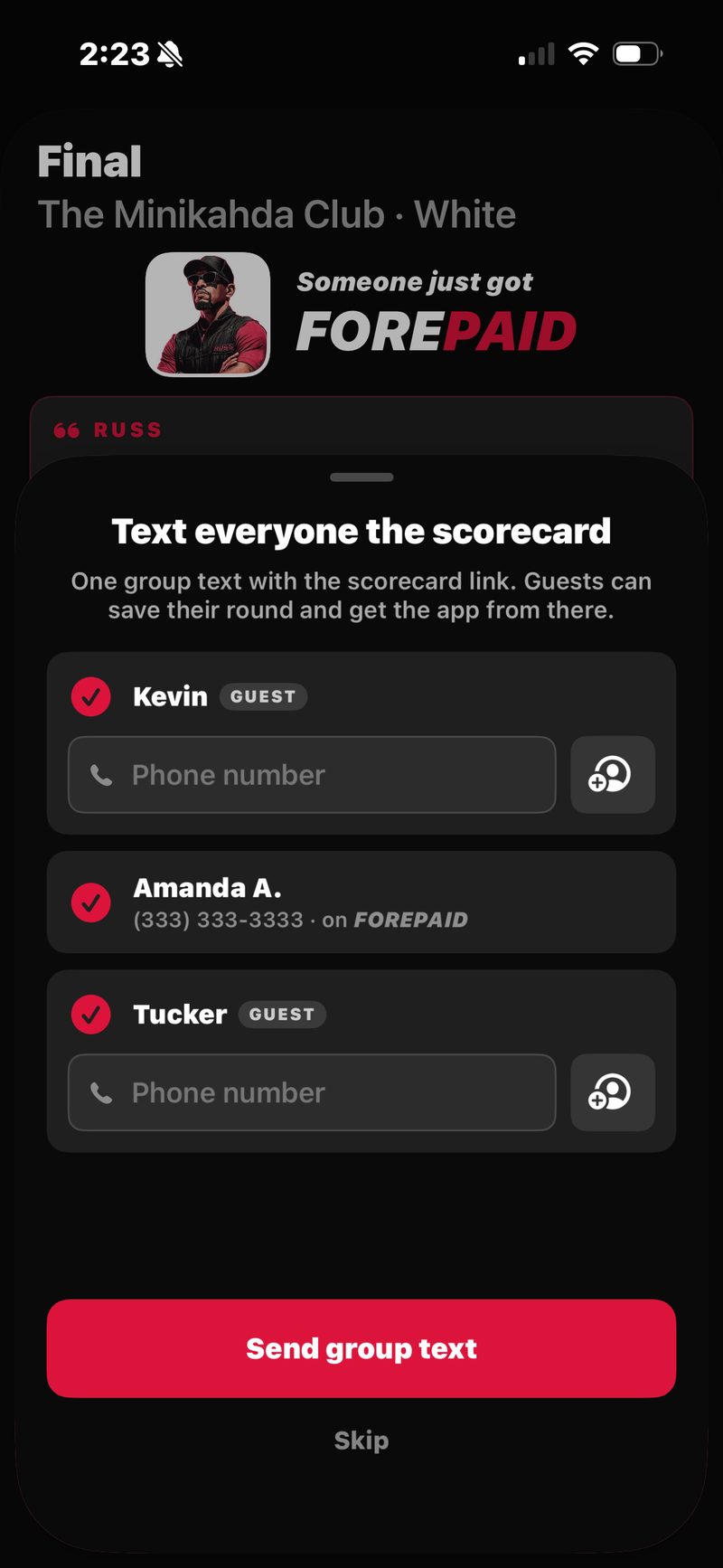
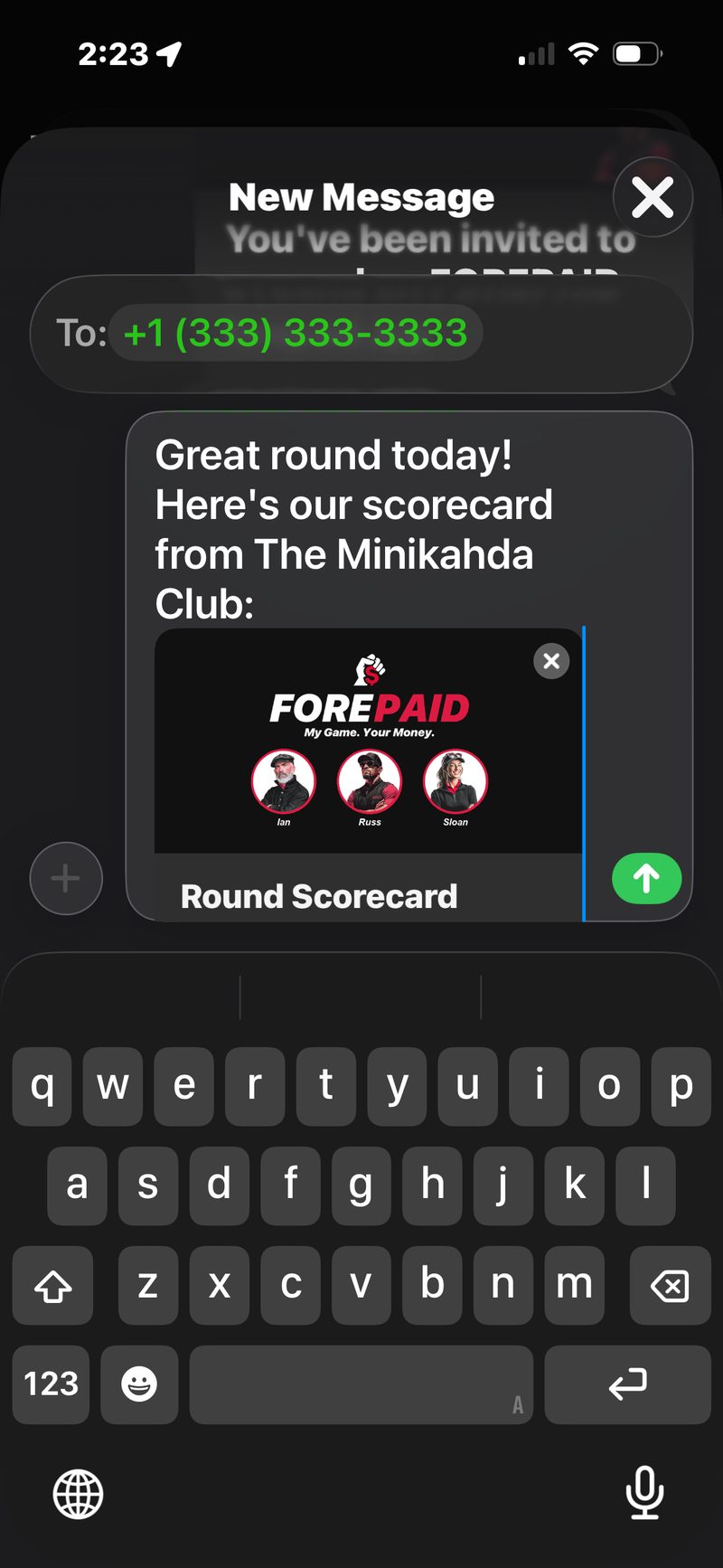
When the host closes a round that had guests, FOREPAID offers Text everyone the scorecard. It’s one group text from the host’s phone with the scorecard link. It ends with the guests’ names and a note to tap their name on that page to save their round.
- Everyone in the round is listed. Players with the app use the number on their profile. Type a guest’s phone or pick it from Contacts.
- Tap Send group text, or Skip for now.
- Skipped it? The host can send it later with the Text everyone the scorecard button on the Final screen.
Guests save their own round
On the scorecard page, a guest taps their name under Played in this round?, enters their own email, and taps Save my round. That sends them the scorecard by email and holds the round for them.
The scorecard email
If the host added a guest’s email, or the guest saved their round on the web, we email them soon after the round closes. The email comes from FOREPAID and includes:
- A link to the full scorecard, with every hole and how the whole group finished.
- A couple of lines your Golfcaster said during the round (when there are some).
- A link to get the app and claim the round.
Two short follow-up emails come a few days later. Then we stop.
Saving the round to their account
When a guest signs up for FOREPAID with the same email their round was saved to, the round is already on their profile. A Welcome card on Home says so and links to the scorecard.
Next time they play, the people from that round show up under RETURNING PLAYERS when they set up a round.
First round free
Once subscriptions start, every new player’s first completed round is free, whether they hosted it or joined a friend’s. Joining a friend’s round is always free. A subscription is only needed to host rounds after that. This is the “Invite your friends for a free round” offer on the homepage.
For details on pricing, see Subscription & Account.