Play Solo
Keep score, just you. Your Golfcaster calls the round, your numbers land in History, and nothing is on the line.
What Play Solo is
On the Play tab, Play Solo is the card next to Play with friends. The line under it says it all: Keep score, just you. It is a full round, with the GPS map, the score pad, your Golfcaster and a recap at the end, but there is no foursome and no money anywhere.
Brand new to FOREPAID? Until you have played a round, Home shows a START HERE card in the spot where your Wallet will go later. Tap it to play a solo round, meet your Golfcaster and see your numbers. It disappears once you have a finished round, an invite, or something upcoming.
Started Play with friends and added nobody? Tapping Continue offers Switch to Play Solo on the same course, so you don’t have to back out and start over.
Setting up a solo round
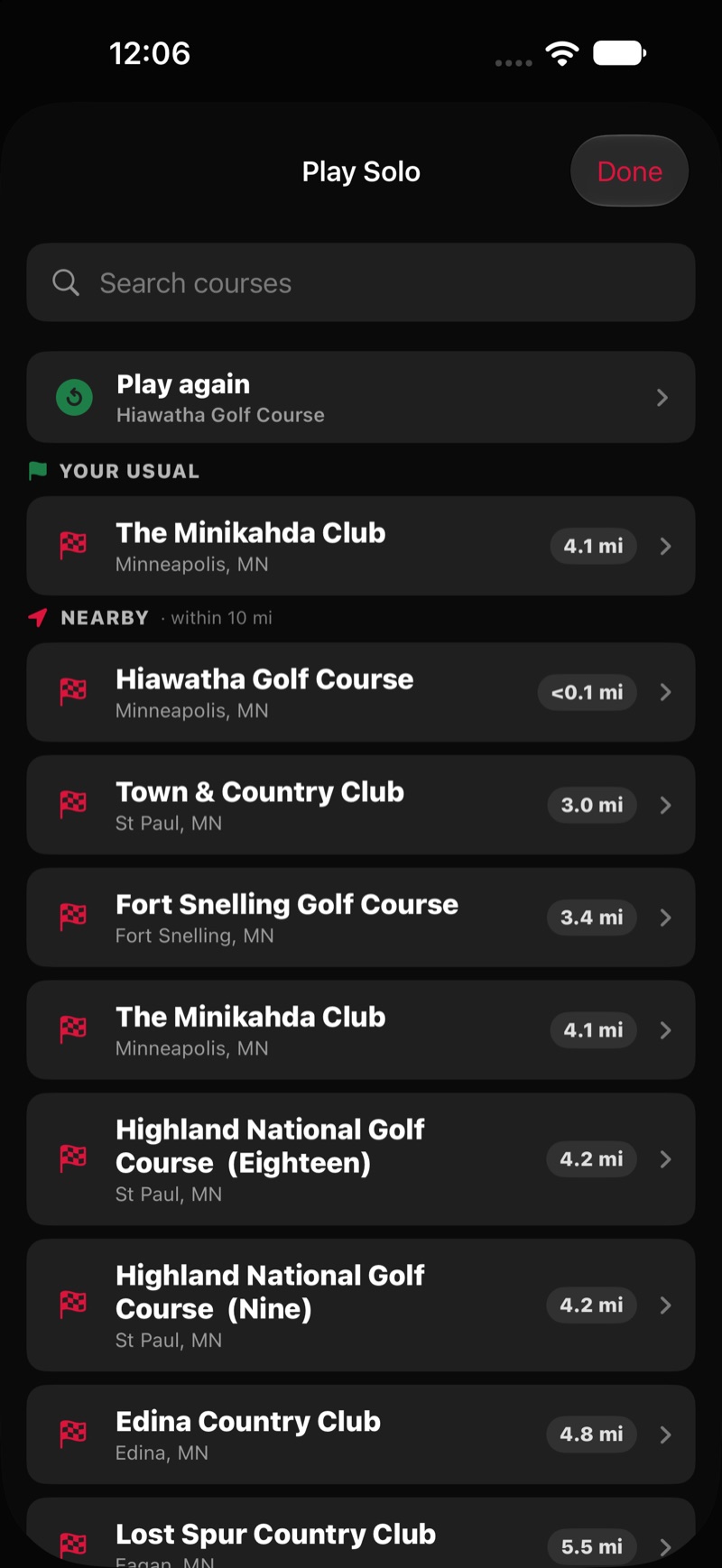
Play Solo is two screens: pick a course, then set up the round on the tee list. Tapping a tee is what starts the round.
- Course. The same picker as a group round: Nearby, Your Usual, or search by name. Can’t find it? Try adding the city.
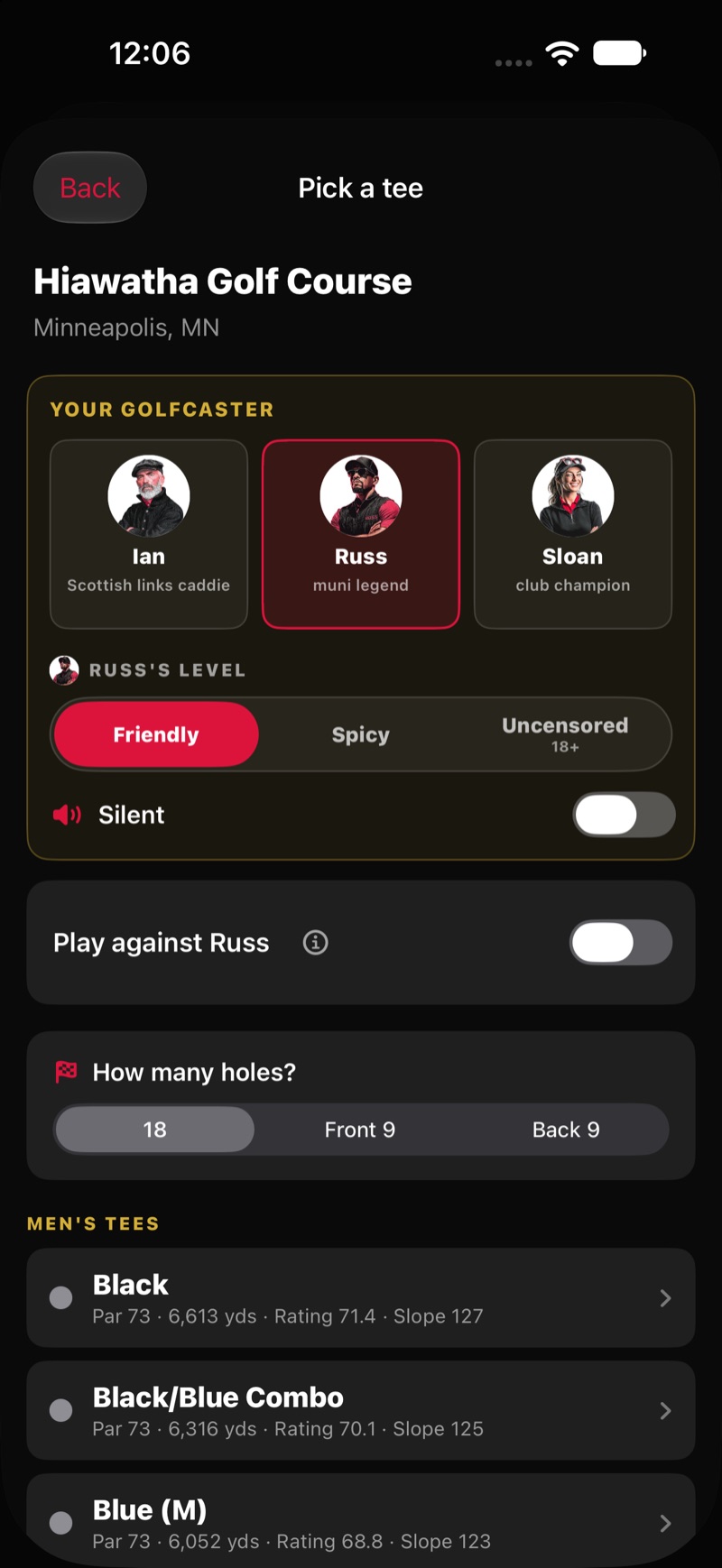
- Your Golfcaster. At the top of the tee list, pick Russ, Ian or Sloan, set the level (Friendly, Spicy or Uncensored), and flip Silent if you want this phone quiet. You can turn the voice back on from the round menu.
- Play against. Optional. Flip it on to race your Golfcaster. See below.
- Holes. On an 18-hole course pick 18, Front 9 or Back 9. 18 is the default, and Back 9 starts you on hole 10. A 9-hole course is set to 9, and shows Add a back nine, play 18 if you want to stitch on a second loop (see Combine Nines). There is no starting-hole picker in Play Solo. The round starts on the first hole of the set you chose.
- Tap a tee. The tee sets the Course Rating™ and Slope Rating® for your net score. Tap it and you’re on the first tee.
Playing against your Golfcaster
Flip on Play against Russ (or Ian or Sloan, whichever voice you picked) and a stepper appears for the Golfcaster’s handicap, from Scratch to 54. Tap the ⓘ next to the switch for the explainer in the app.
How it works: your Golfcaster plays along as your opponent and posts a card that shoots that handicap. You both get your full handicap strokes against the course, and the lower net score wins, so the match comes down to beating your own number. The Golfcaster gets a row on the score pad and the scorecard, but you never enter a score for it and it never settles anything. No money, just bragging rights.
Your Golfcaster calls the match as you go. Lead changes are called in net strokes (you take the lead, 2 strokes up on Russ thru 5; Russ takes the lead, you’re 1 stroke down thru 9; back even thru 12), the turn report covers the match, and the finale announces who won and by how much. The written recap is built around the match too. In History the round carries a Solo · vs Russ chip (or Ian or Sloan). A solo round without an opponent shows Solo.
During the round
Everything from a group round works the same. The GPS map is the round’s home screen on courses with geometry, with live yardages and plays-like distances. Tap SCORE at the bottom to open the score pad. The lock-screen Live Activity and the Apple Watch yardages run exactly as they do in a round with friends. See GPS & Hole View.
Stats. With Track my stats on in Profile (it is on by default), your row on the pad carries the fairway, green and putts compass. In a solo round it grows two extras: bunker and penalty. They all add up in My Stats. See My Stats.
Finishing. When every hole has a score, Review opens with your full card. There is no Settle screen because there is no money. Your Golfcaster’s written recap follows, and the round lands in History with a Solo chip.
Counting toward your FOREPAID Index
A solo round counts toward your FOREPAID Index like any other round: it has to be a completed 18-hole round on a rated tee, and the Count this round toward my FOREPAID handicap switch on the recap screen has to be on. It is on by default. Turn it off for a practice round you’d rather not score. 9-hole rounds and Combine Nines rounds don’t count. See Handicaps.
Just want yardages? Use the Rangefinder
If you only want distances, tap Rangefinder, the third card on Home: live yardages, no scoring. Pick a course and you get the GPS map and your Golfcaster’s club call, with nothing scored and nothing saved to History. It is free, with or without a plan. See GPS & Hole View.
Good to know
- One round at a time. If you already have a round set up or in progress, tapping Play Solo shows Finish or cancel first. Open that round from Home, finish or cancel it, then come back.
- Play again. Once you have a finished round, the PLAY AGAIN pill on Home rebuilds your last round. If that was a solo round, it reopens Play Solo at the same course.
- After your free round. Your first completed round is free. After that, once subscriptions switch on at the App Store launch, starting a round of your own takes a plan, solo or with friends. Joining a friend’s round and the Rangefinder stay free. See Subscription & Account.
- Hearing it again. Open the round in History and tap Replay to hear every call from the round.