Handicaps
How handicaps work in FOREPAID — what to enter, how strokes are allocated, and why it all locks at round start.
1. Your handicap — two ways to set it
Your handicap is what makes net bets fair — a 20 and a 5 can play a real match and the money lands right. FOREPAID gives you two ways to have one:
The FOREPAID Handicap: computed for you
Pick it once and there's nothing else to enter. Open Profile, tap your handicap under your name (or Set your handicap), choose FOREPAID, and tap Use FOREPAID handicap. From then on FOREPAID builds a living handicap from the rounds you actually play, following World Handicap System guidelines: each round’s score is capped hole-by-hole at net double bogey (so one blow-up hole can’t wreck it), converted to a differential against the course’s rating and slope, and your index is computed from your best recent differentials. It updates automatically as you play and is capped at 54.0.
Only completed 18-hole rounds played from tees with a rating and slope count. 9-hole rounds and Combine Nines rounds don't feed your FOREPAID Handicap.
- It’s live from your first counted round. Treat it as a rough number until you’ve posted three or more, since early numbers lean on just one score.
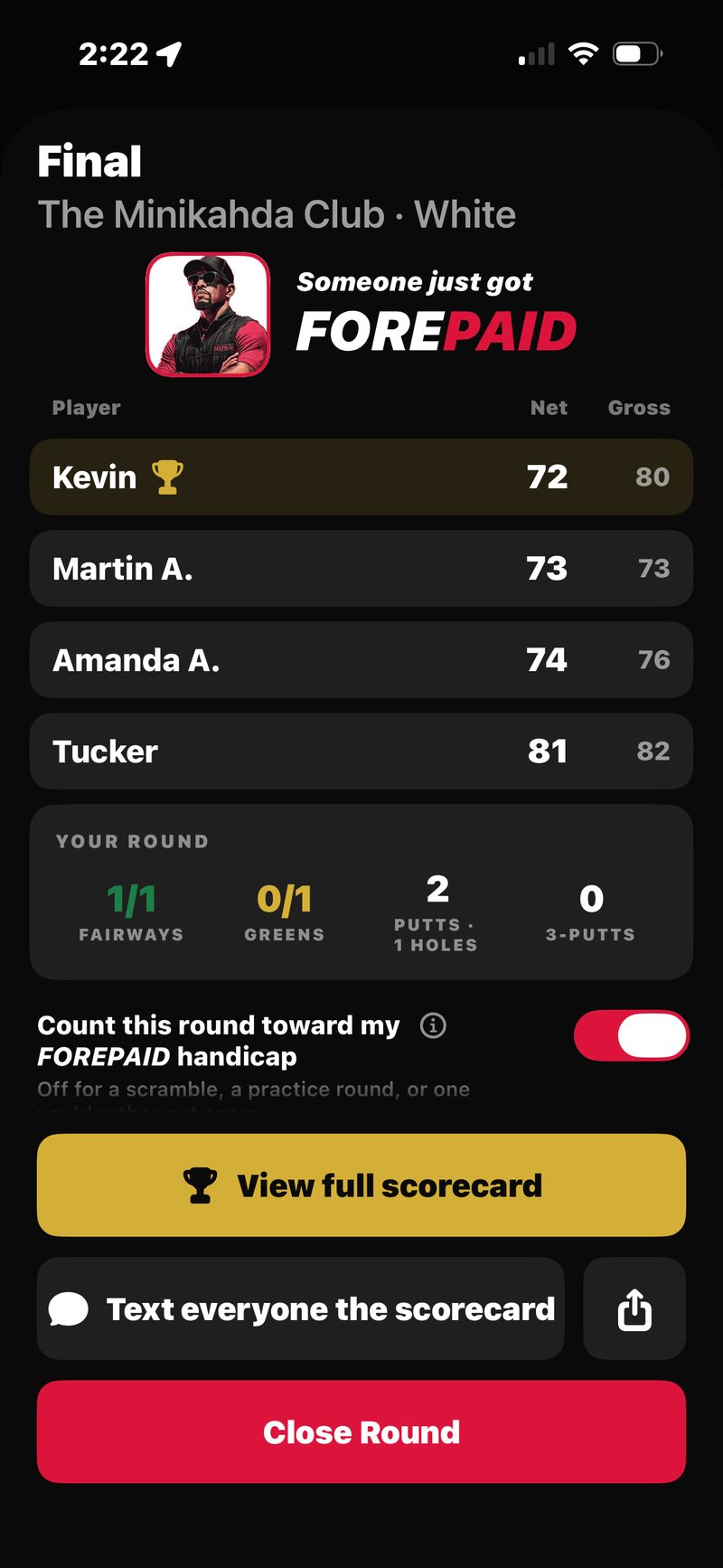
- You control what counts. Every finished round has a “Count this round toward my FOREPAID handicap” toggle on the Final screen — switch it off for a scramble, a practice round, or one you’d rather not score.
- It’s unofficial by design — a FOREPAID number for FOREPAID rounds, not a USGA Handicap Index.
The Honor Index — you enter it
Already know your number? Open Profile, tap your handicap under your name (or Set your handicap), choose Enter my own, type the number, and tap Save handicap. Anything from 0 to 54 works, on your honor. Good for golfers who keep an index elsewhere or know what they play to.
Plus handicap? Profile only takes 0 to 54. Set it for each round instead: on the Pick your players screen, tap your HCP chip and enter it as a negative number (for example, -1.4 for a +1.4).
Switch between the two anytime from Profile with the FOREPAID / Enter my own switch. Whichever is active is the number your next round uses.
2. How strokes are allocated
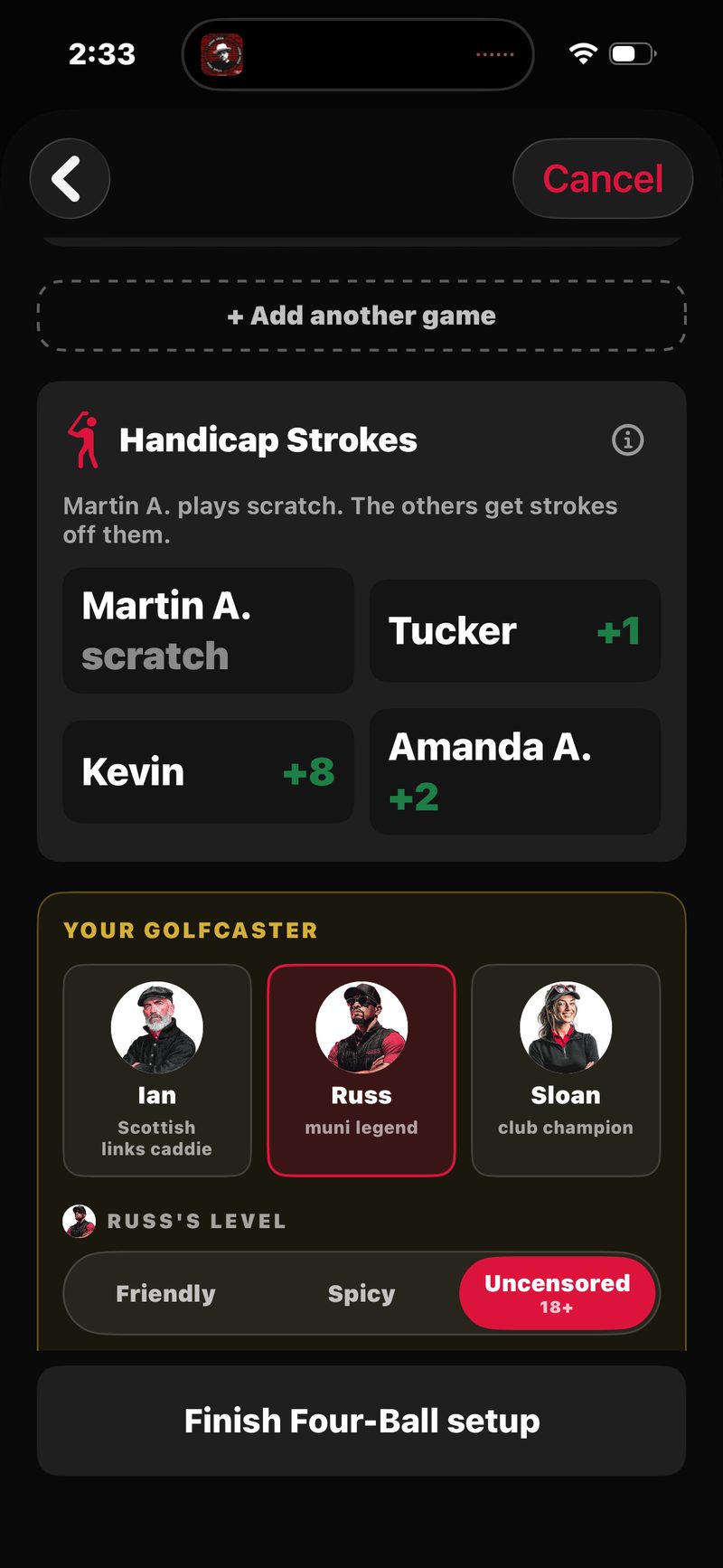
When handicaps are turned on for a round, FOREPAID allocates strokes using the standard "relative to low" model: the lowest-handicap player in the group plays scratch (zero strokes), and everyone else gets the difference between their handicap and the lowest.
Playing solo? There's no one to measure against, so your full Course Handicap is used against par.
Foursome handicaps: Martin 11, Bryan 11, Ravi 21, you 4.
You're the low (4), so you play scratch — no strokes.
Martin and Bryan each get 7 strokes (11 − 4).
Ravi gets 17 strokes (21 − 4).
The formula behind your number
The numbers in the example above are Course Handicaps. They're computed live for each round from the handicap you set in your profile, using the standard formula:
Course Handicap = Handicap Index × Slope ÷ 113 + (Course Rating − Par)
Slope is a course-and-tee rating (the harder the tees, the higher the slope); 113 is the average slope, a reference baseline. Course Rating − Par adjusts for how those tees actually play to par — usually a small nudge, a stroke or two, and typically a bigger drop from the forward tees. The result rounds to a whole number.
So a 14.2 index from the Blue tees (Slope 132, Rating 72.4, Par 72) plays as a 17 Course Handicap — 14.2 × 132 ÷ 113 = 16.6, plus (72.4 − 72) = 17. From the White tees (Slope 121, Rating 70.2, Par 72) the same player is a 13. Same player, different tees, different number of strokes — this is why your effective handicap can shift from round to round even at the same course.
Playing different tees
Each player can pick their own tee on the Pick your players screen. FOREPAID follows the official World Handicap System rule for this (Rule 6.2b). Each player's Course Handicap uses their own tee's slope, rating and par, and strokes land on their own tee's stroke index. In net stroke bets, a player on a tee with a higher par gets extra strokes equal to the difference. Bets measured against par, like par-or-better skins, use each player's own par.
Which holes get the strokes
Strokes go to the hardest-rated holes first. Every course assigns each hole a Stroke Index from 1 to 18 (the Hdcp row on the scorecard). The hardest hole is 1 and the easiest is 18.
If you get 7 strokes, you get one on each of the seven hardest holes (Stroke Index 1 through 7). The Scorecard shows each stroke as a small red dot in the corner of your score box. Three or more show as a number, like •3.
For very high handicaps, strokes wrap. If you get 21 strokes, you get one on every hole (18), plus a second stroke on the three hardest (Stroke Index 1, 2, and 3).
Plus handicaps work the other way. When a plus player gives strokes back (in a solo round, for example), they come off the easiest holes first, starting at Stroke Index 18, and show as a gray dot.
Playing 9 holes
A 9-hole round uses the official WHS 9-hole formula: half your Handicap Index, times Slope ÷ 113, plus half of (Course Rating − Par), rounded to a whole number. FOREPAID does this for you. You're only playing half the course, so you get about half the strokes. Strokes go to the nine holes you play, hardest first.
Combine Nines — two 9-hole loops stitched into one 18 — is a full round, so it uses your full Course Handicap, allocated across all 18 holes as normal.
3. Net vs gross — what each is used for
Every score has two values:
- Gross — the actual number of strokes you took on the hole. The big number on the scorecard.
- Net — your gross score minus the strokes you receive on that hole. The small green number underneath the gross.
Different parts of the game use different ones:
- The scorecard displays gross as the headline number with net underneath. This matches paper-scorecard and TV-broadcast convention.
- The wager engine uses net for any bet where the foursome agreed to play handicapped (the default on most wagers).
- Golfcaster chirps fire on your net score when handicaps are on, and the call says so: a par with a stroke is called a “net birdie.” The exceptions are the physical feats. A hole-in-one, an albatross, or an eagle is always called on the real number.
4. Why your handicap locks at round start
Once you tap Start Round, every player's handicap is fixed for that round. You can't change it from the Score Entry screen. Editing your Profile mid-round only affects future rounds, not the one you're playing.
This is a money-protection rule. Bets are calculated against the strokes each player receives. Letting a player change their handicap mid-round would let them alter the money flow after the wager was set.
5. Updating your handicap
On the FOREPAID Handicap, there’s nothing to update. It recomputes itself after every eligible round. On the Honor Index, change it anytime: open Profile, tap your handicap under your name, choose Enter my own, type the new number, and tap Save handicap. The next round you start uses the new value. A round in progress and past rounds keep the number they started with.